Getting Started:
Tuning Sessions:
Resources:
References:
RotorFlight Tools:
Sections:
|
|
|
|
|
Step 1 - Filters Trace Comparison:
|
|
Rotorflight Filters:
Visual/Audible Identifiers:
- Sounds of "waivering" or "pulsing" motor and/or gear noise as the helicopters spools up and/or hovers.
- Vibration of the airframe or tailboom at hover.
- High speed oscillation of the tail (almost looks "nervous") due to pulsing.
Notes:
- We won't be covering this topic (filters) as part of the tuning guide (as there are no P-to-D term ratios that pertain here.
- Please see Jonas' video (in our "Useful Links" section located on the left navigation pane) for proper filter setup.
|
|
Without Filters Properly Setup
|
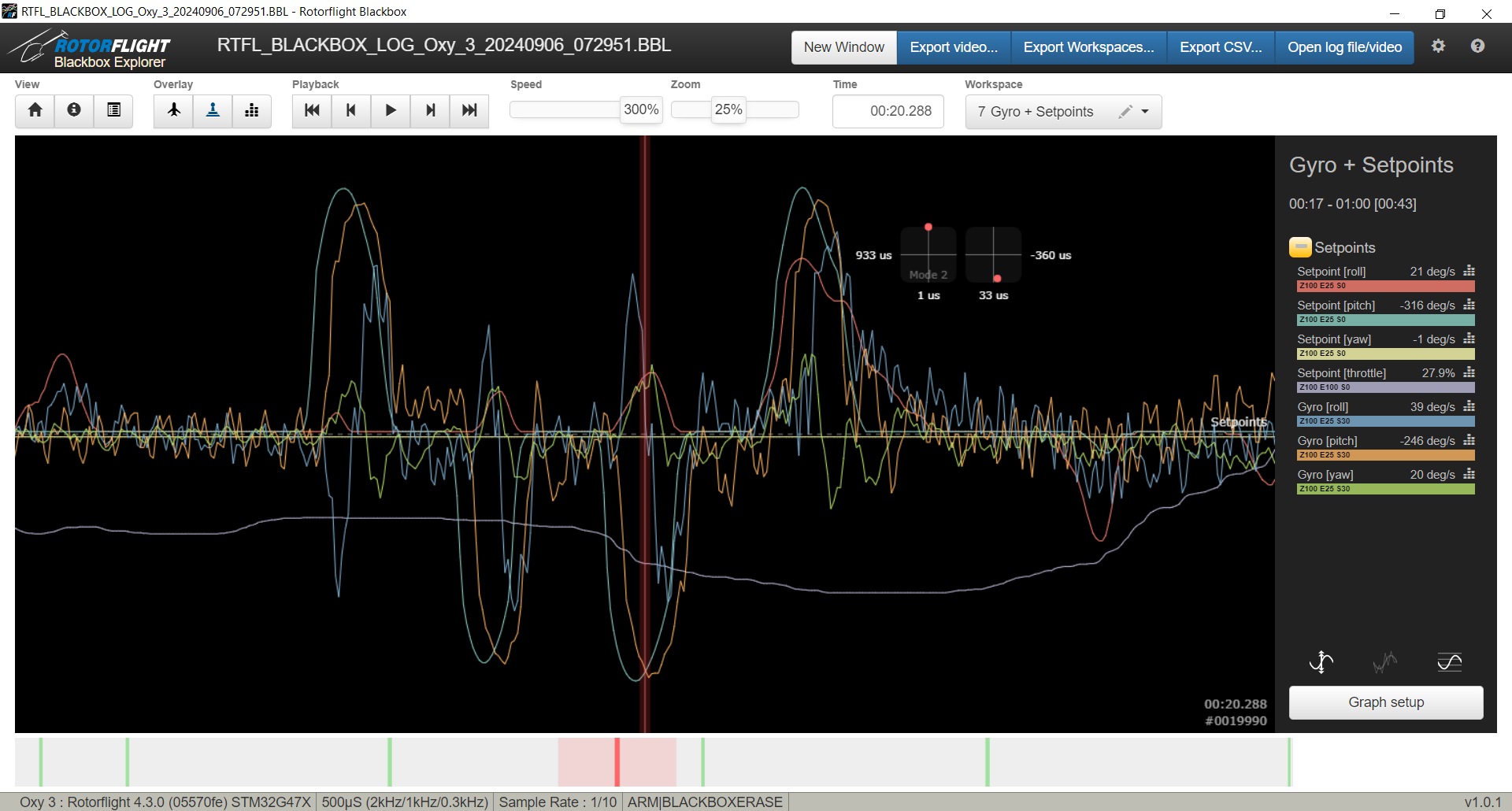
Comments:
- Notice the ample amounts of oscillations on all axis (roll, pitch, yaw).
|
|
With Properly Setup Filters/strong>
|
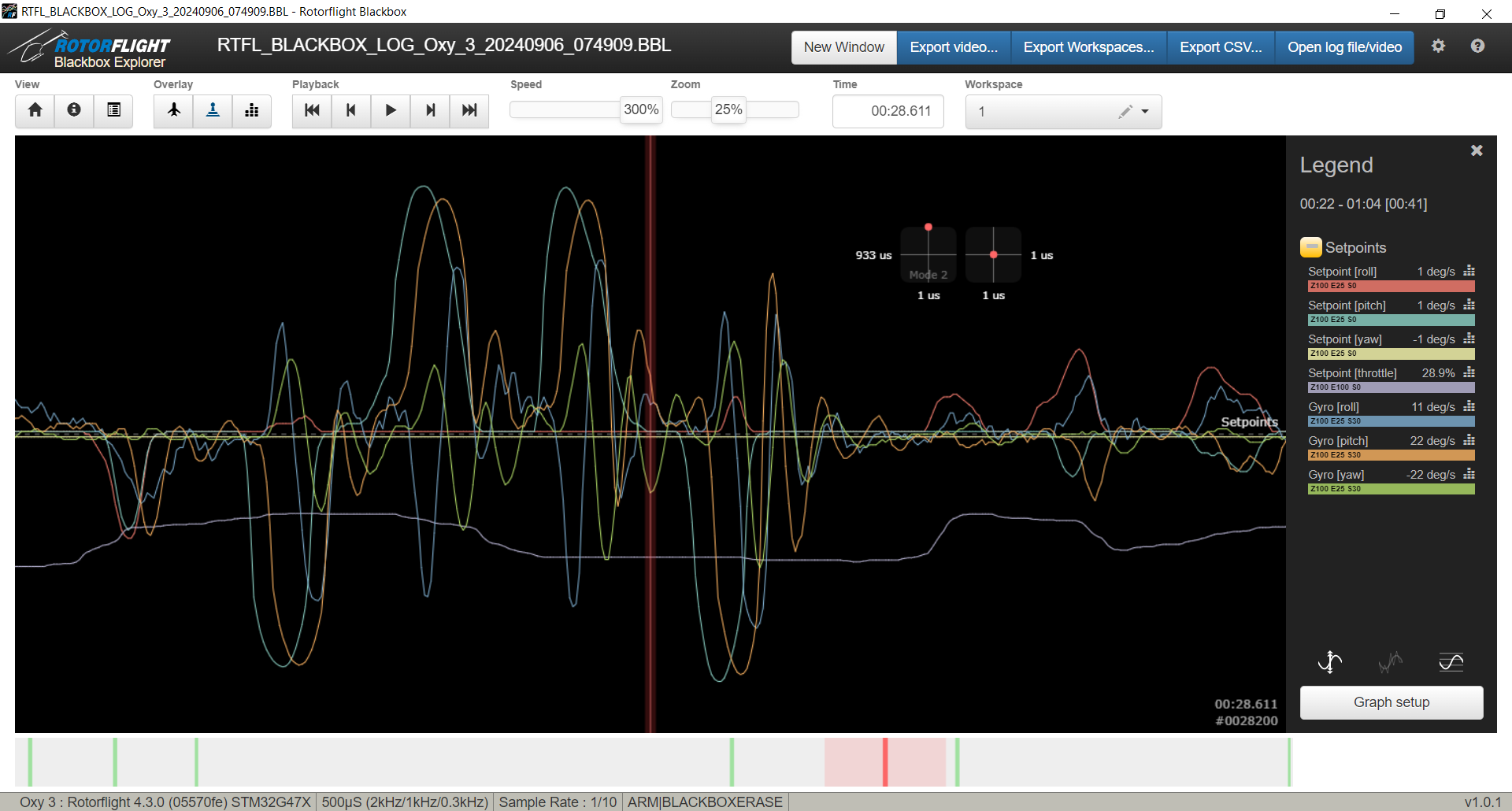
Comments:
- Notice the heavy presence of oscillations from the previous image have pretty gone.
- You can now properly analyze the Gyro to Setpoint relationship for P:D tuning.
|
Conclusions:
- No major to conclusions to add here except to make sure to run properly setup filters: Low Pass, Notch, Main Rotor (up to 4th harmonic), and Tail Rotor (up to 2nd harmonic).
|
|
|
Step 1 - Filters Trace Comparison:
|
|
|