Stay Tuned - This page is under construction (9/5/2024)
NOTE: We find performing a snap roll, half-rool, or full roll is the best way to create a comprehensive aileron trace.
Visual Identifiers:
- At the end of a pirouette, the tail comes to a lazy stop (need to increase P-term).
- At the end of a pirouette, the tail comes to a slow, lazy stop (need to increase P-term).
- At the end of a pirouette, the tail bounces several times (need to adjust the D-term → try both higher & lower values).
- At the end of a pirouette, the tail bounces once (try adjusting the feed forward).
- The tail lazily starts the pirouette from the moment you issue a hard abrupt rudder command (need to increase P-term).
- The tail lets go when doing hard pitch-pumps or tictocs (need to increase I-term).
- The tail is oscillating at hover (need to decrease P-term).
Goals of your PID tune:
- Find P-term/D-term balance that makes the tail responsive to your inputs while locking in the arrest when you stop while avoiding 'bounce back' (post rotation).
- Not rely on RotorFlight's "CW Yaw Stop Gain" or "CCW Yaw Stop Gain" settings (this may be a band-aid?).
- No oscillations in tail while hovering or after a pirouette manuever.
- Hard stop when stops pirouetting.
- Visually, your expectation should be that once you start a rudder command, that the tail should follow quickly and as synchronized as much as possible to your stick movements.
- Conversely, when you abruptly release the rudder stick, the tail should stop immediately and with authority, and without a bounce.
- Audibly, you will hear your tail blades thrusting air on a hard stop. They will also generate a "wavering" sound if they are oscillating.
The PID Tuning Plan:
- Finding the P:D ratio.
- Increase I-Term until it feels, "Locked In".
- Adjust the Feed Forward.
- Refine and increase the P:D ratio.
Procedure:
- In Rotorflight → Profiles → Profile 2: Increase P-Term by +10 per profile like so (Example uses value of "50"):
- Profile 1: P-Term (P) = 50
- Profile 2: P-Term (P) = 60
- Profile 3: P-Term (P) = 70
- Assign a 3-6 position switch to switch through the profiles above midflight to examine the tails behavior.
- Spool up, switch to "idle-1", and maintain a hover @ 5ft AGL.
- Snap the rudder stick to full left pirouetting 360 degrees and immediately stop.
- Fall back into your original hover position if you have drifted away from it.
- Flip the "Profile" switch to the next profile and repeat above steps.
NOTE: if you notice any severe oscillations, put the switch back to the previous profile/position
- Land, plug-in RotorFlight, D/L the Blackbox logs (and clear/delete) and view in Explorer.
|
|
Round 1 - (Aileron D Session 1)
|
|
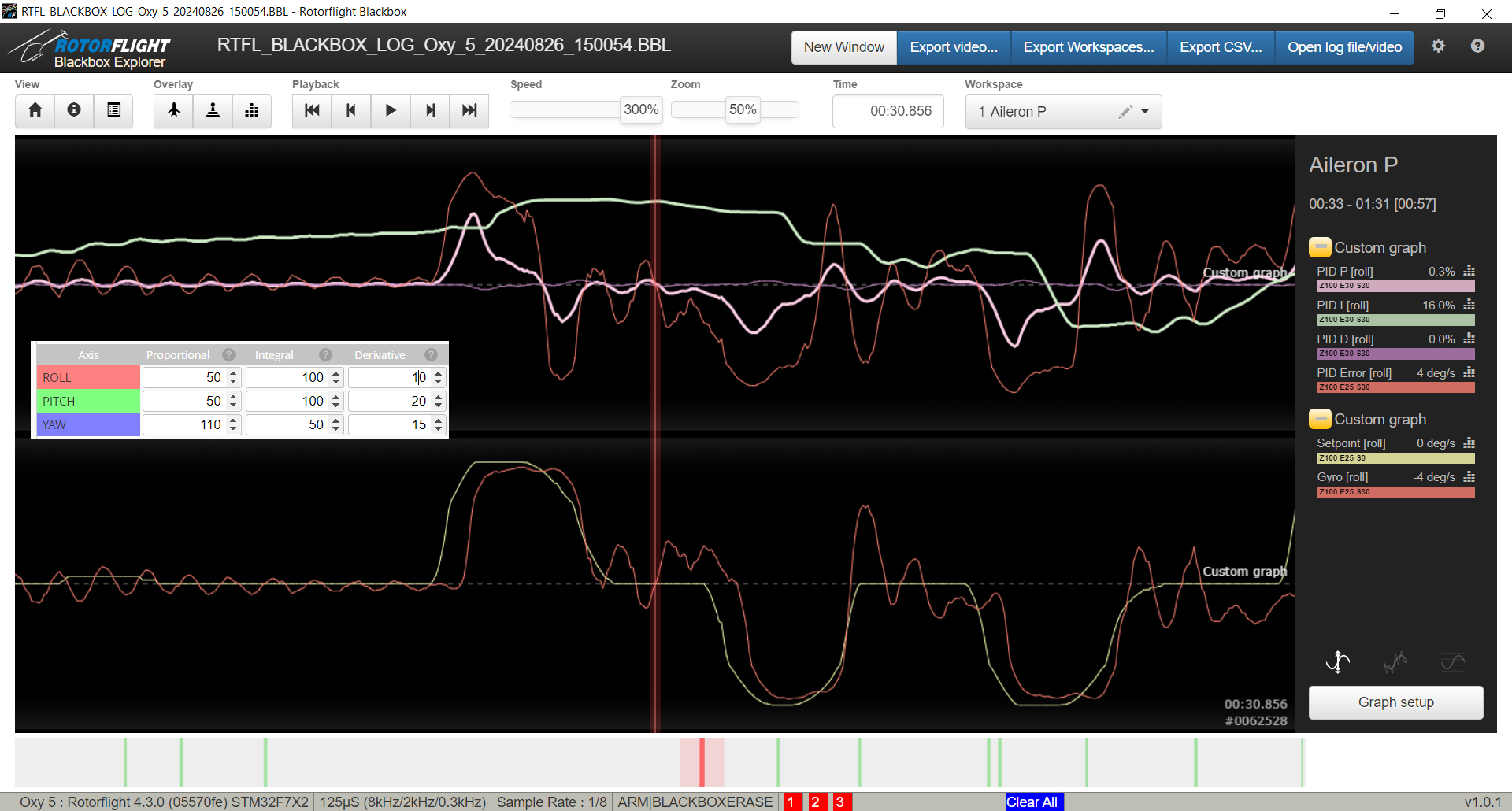
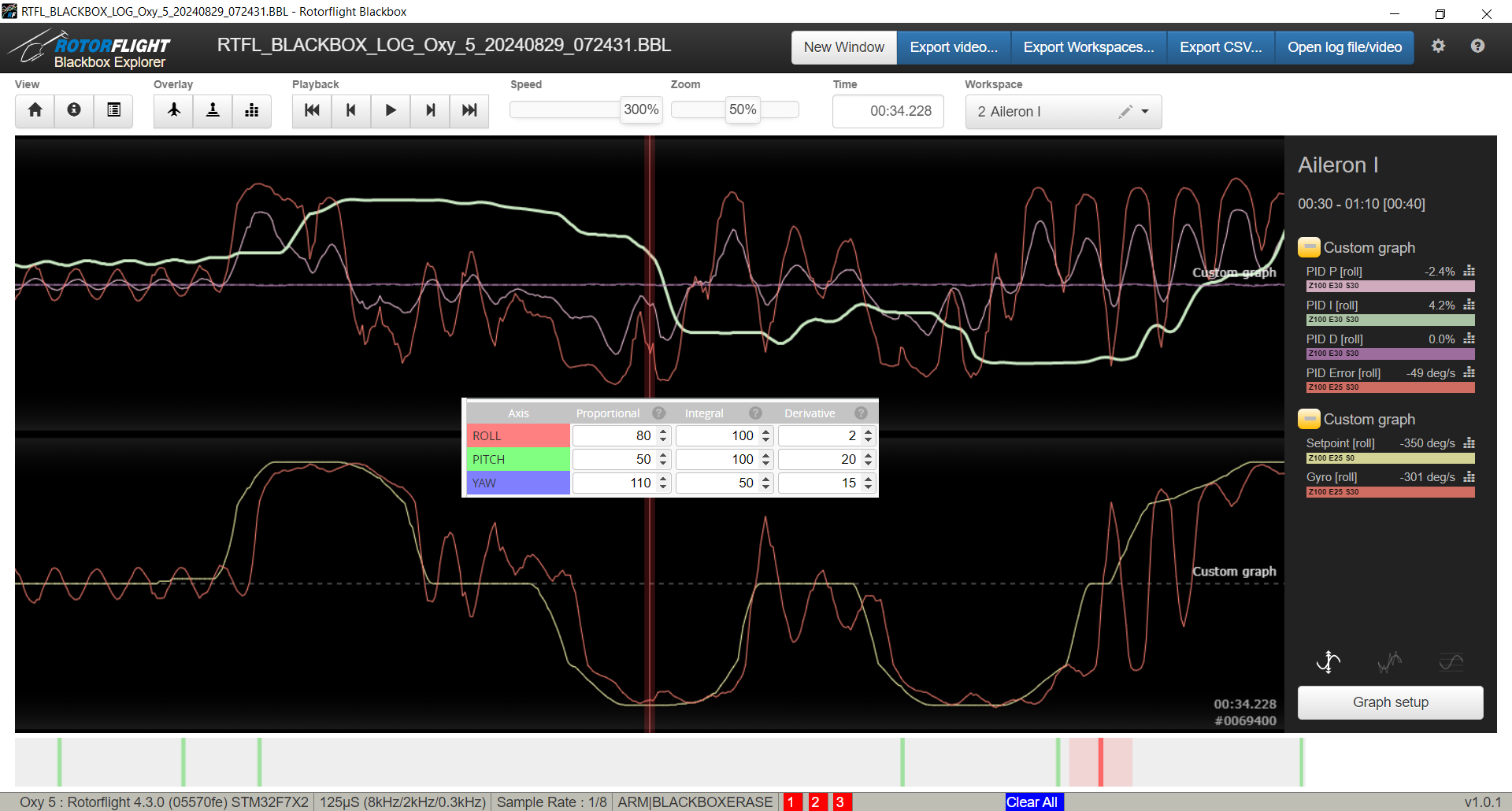
- These are the BB logs for the default values.
- This is not bad considering the Gryo [roll] is mostly following the Setpoint [roll] shape.
- There are clearly oscillations in the aileron direction. Reviewing filters showed a "clean" output. Will try pursuing these as we search for the P/D ratio.
- The cross-overs with P-term and I-term suggest P-Term is too low and that I-Term is trying to "help".
|
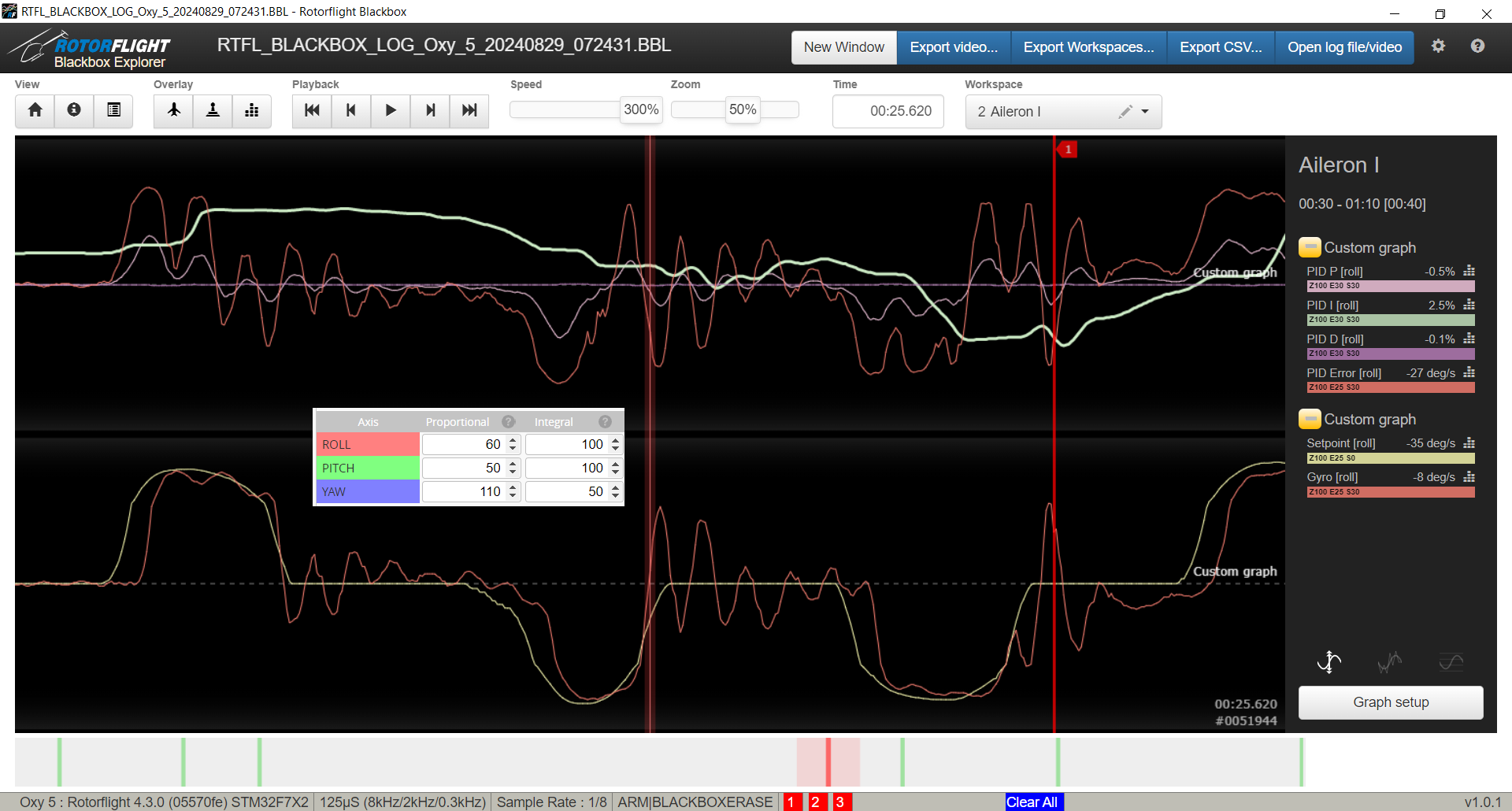
- We still have cross-overs with P-term and I-term.. P-term must still be too low. The higher D-Term may have amplified the trace.
- Note the slightly wavy trace of "Gyro [roll]" after the snap aileron manuever was executed. We'll keep an eye on that behavior as we graduate the D-term.
|
|
Round 2 - (P - Tuning)
|
|
|
|
|
Conclusions:
|
|
Round 3 - (Revisiting D - Tuning)
|
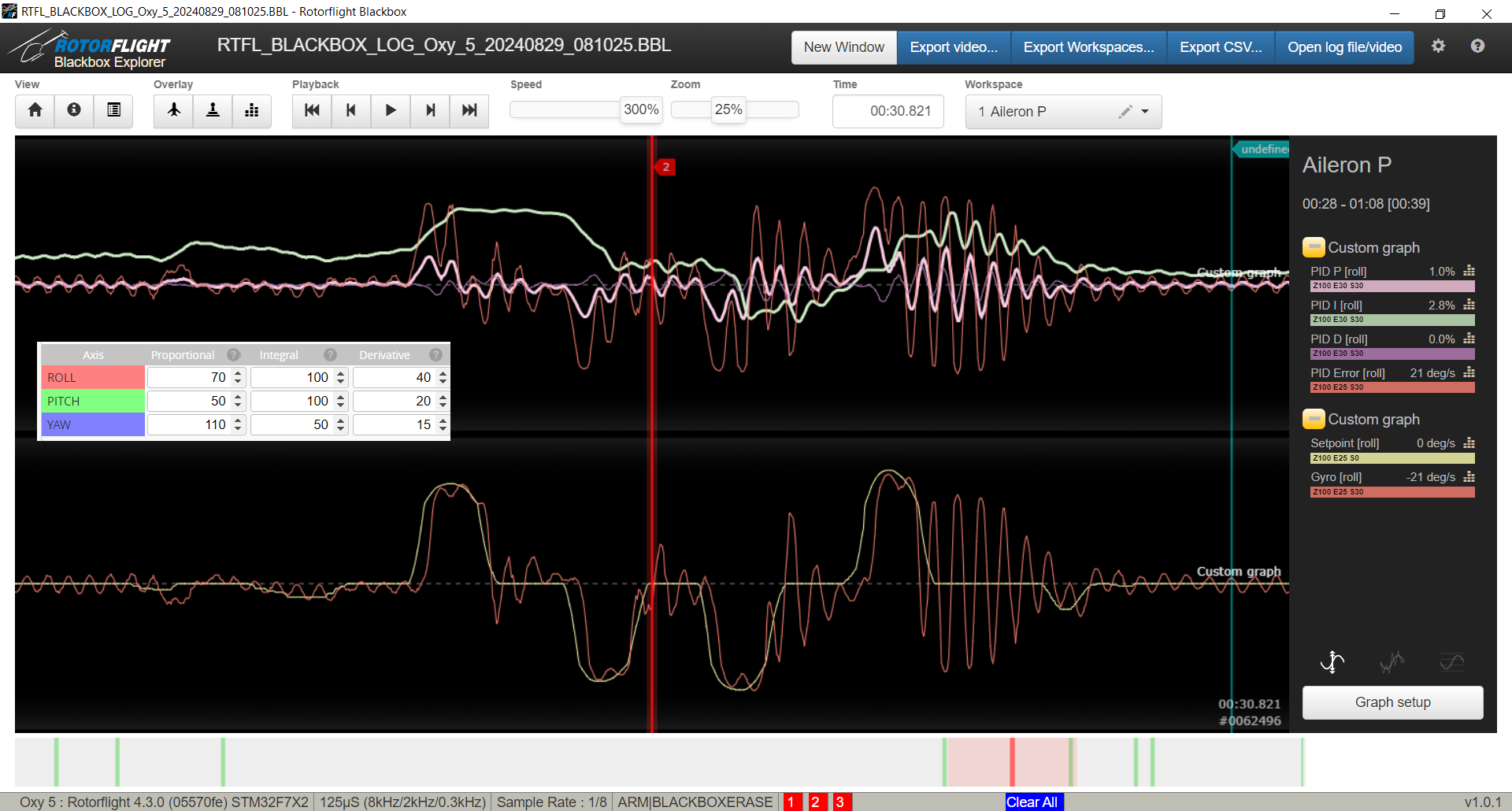
- Notice the oscillations even before the snap roll (and all throughout the trace). This is a great example of how an improperly tuned Governor PID can cause oscillations in other axis (in this case aileron). See the governor page to see why and how to fix.
|
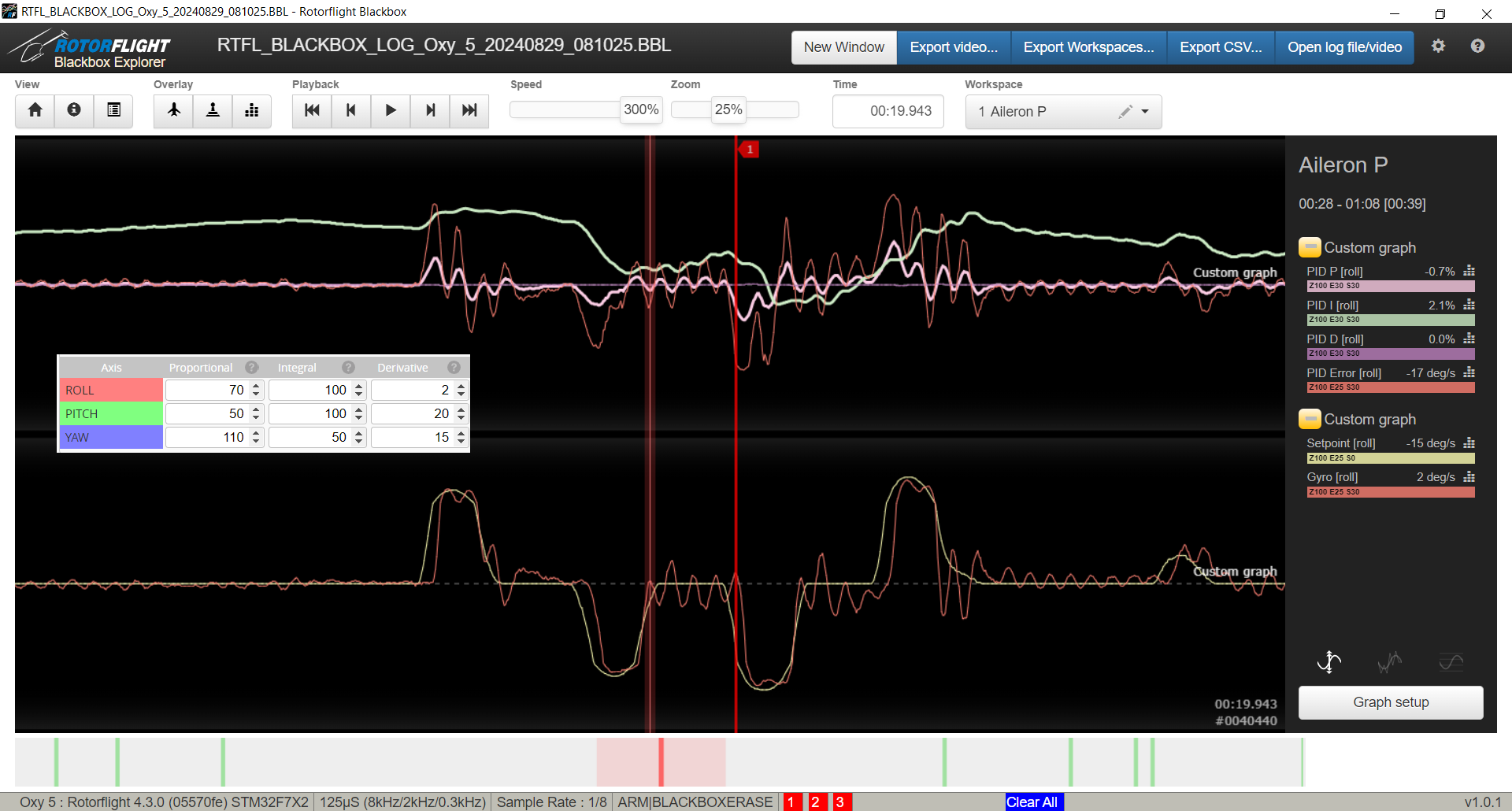
- This is the same tune as above after the governor PID settings were fixed.
|
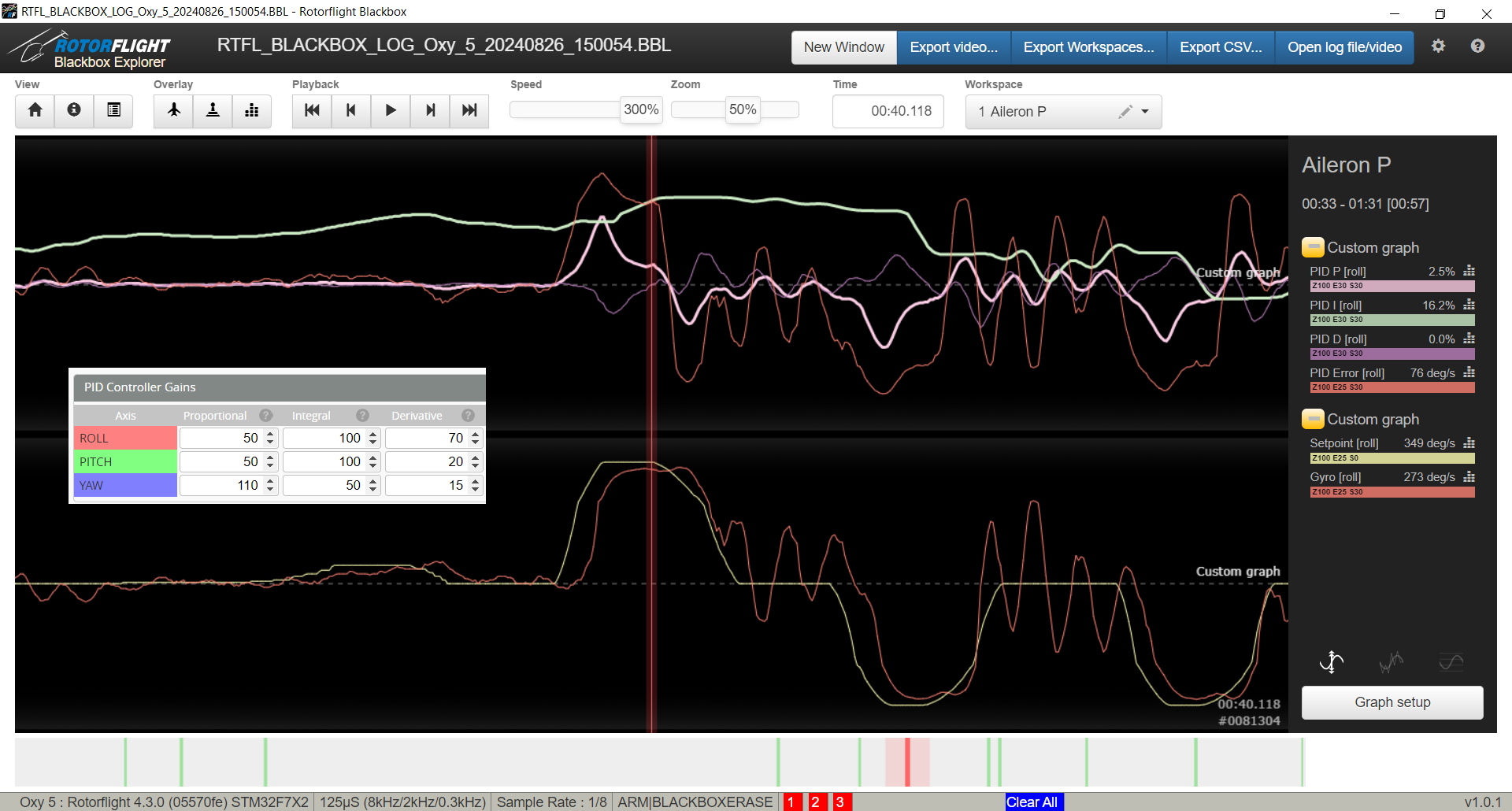
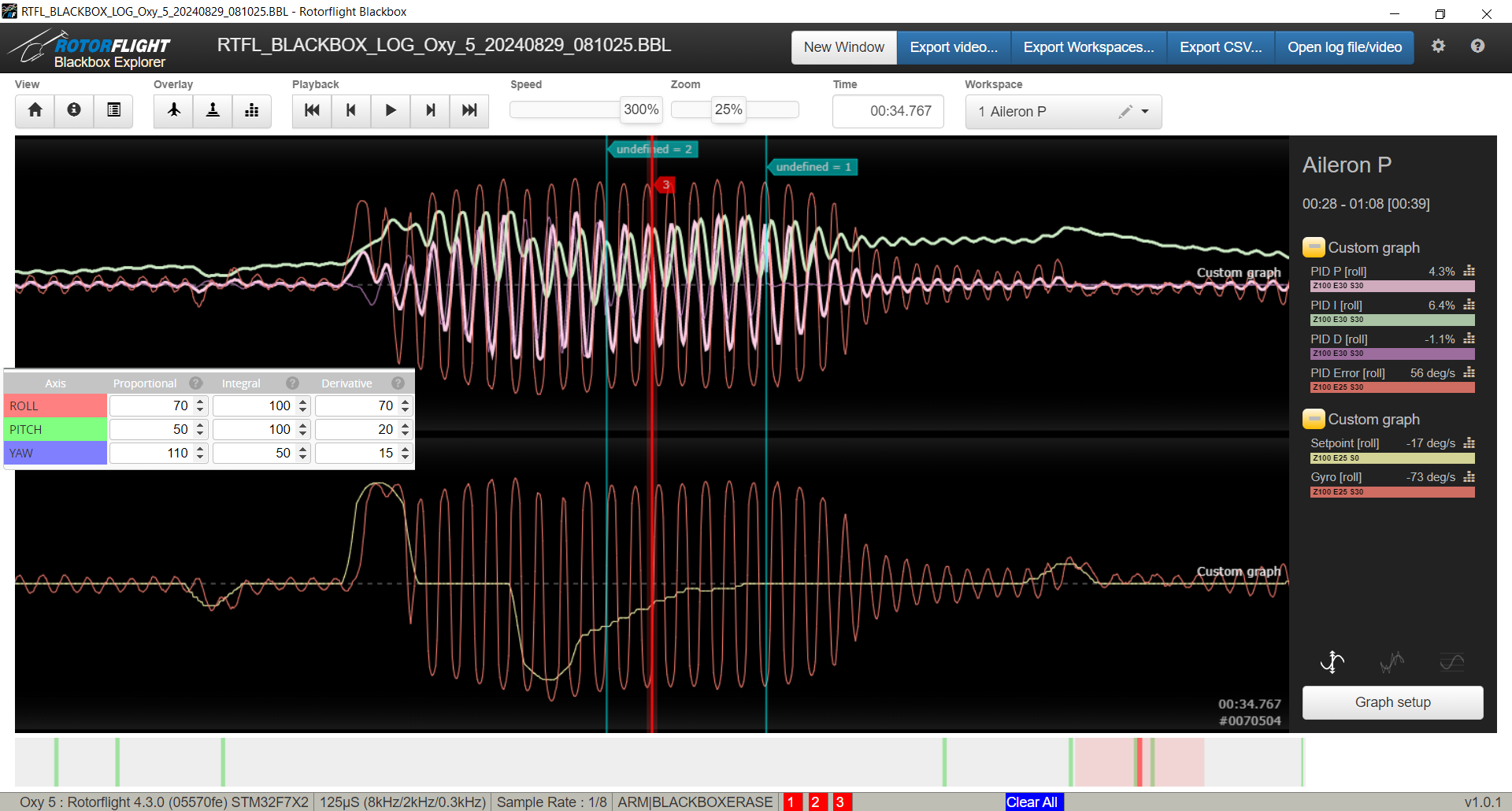 This is an example of a high D-term oscillation on Aileron (Note the value of D=70).
D-Term is so high that it overshoots the correction repeatedly.
This is an example of a high D-term oscillation on Aileron (Note the value of D=70).
D-Term is so high that it overshoots the correction repeatedly.
|
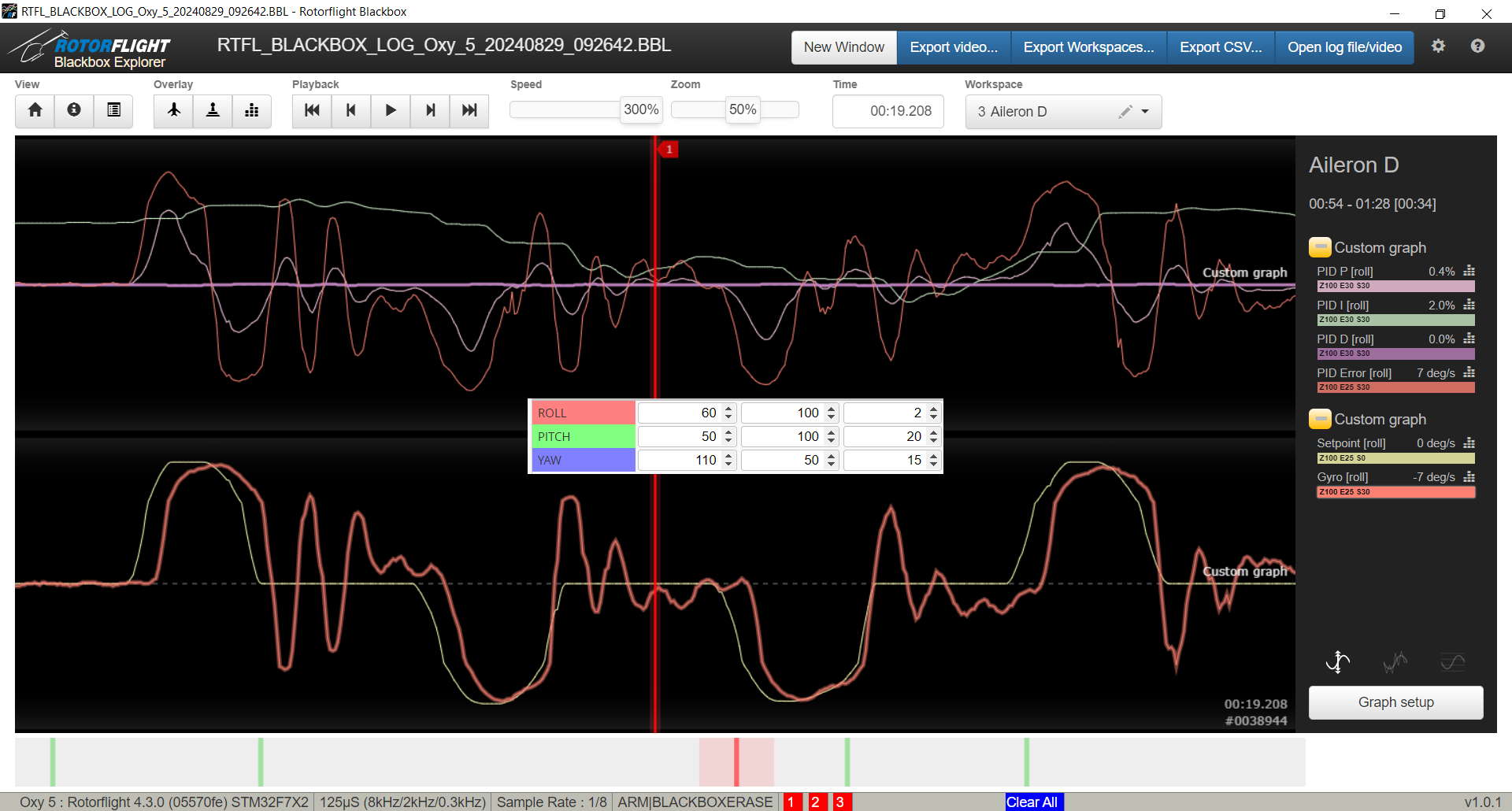
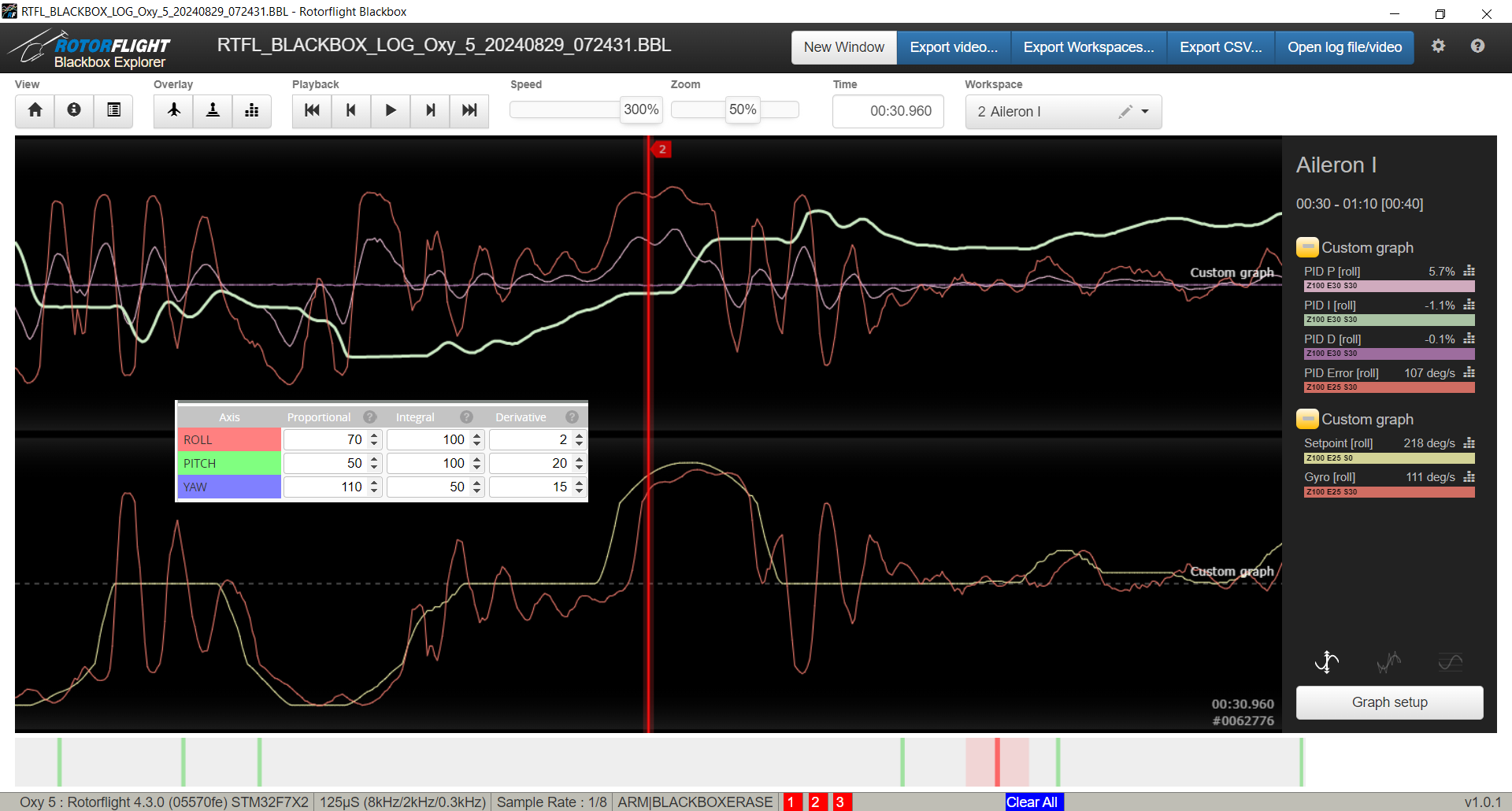
- Example shows how either P-term can be high or D-term too low.
- Since P=60 in this case (a respectable value), it is likely the D-term is too low.
|
|
Round 4 - (I - Bringing down I-term)
|
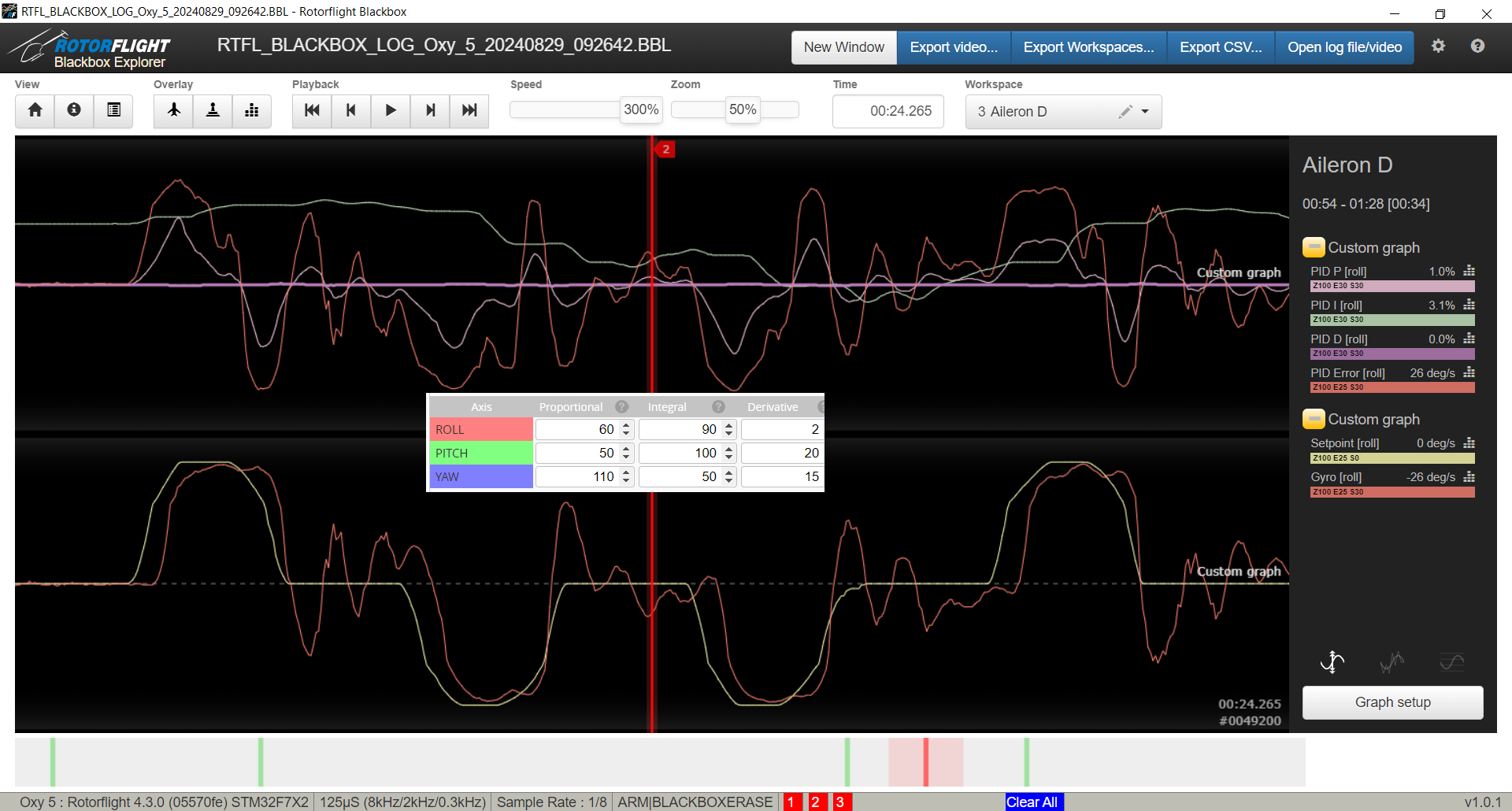
- Note that in this example where P=60,I=90,D=2 that the bounce after the manuever is a lot less in amplitude.
- Trace (aileron) shows we are getting close. Remember our goal is to get the "Gyro [roll]" to follow as close to the "Setpoint [roll]" as close as possible.
- Also notice that the amount of bounces is still about the same but you can tell the peaks and dips are less.
- Sometimes larger number jumps need to be used to see a difference.
|
Conclusions:
Note: while writing this article we realized deriving the proper tune for this model concurrently was too difficult a task as there were many deviations. Rather will publish comprehensive results once the tests are done (update 9/5/2024).
|