PID Tuning the Rudder with Blackbox traces
Visual Identifiers:
- At the end of a pirouette, the tail comes to a lazy stop (need to increase P-term).
- At the end of a pirouette, the tail comes to a slow, lazy stop (need to increase P-term).
- At the end of a pirouette, the tail bounces several times (need to adjust the D-term → try both higher & lower values).
- At the end of a pirouette, the tail bounces once (try adjusting the feed forward).
- The tail lazily starts the pirouette from the moment you issue a hard abrupt rudder command (need to increase P-term).
- The tail lets go when doing hard pitch-pumps or tictocs (need to increase I-term).
- The tail is oscillating at hover (need to decrease P-term).
Goals of your PID tune:
- Find P-term/D-term balance that makes the tail responsive to your inputs while locking in the arrest when you stop while avoiding 'bounce back' (post rotation).
- Not rely on RotorFlight's "CW Yaw Stop Gain" or "CCW Yaw Stop Gain" settings (this may be a band-aid?).
- No oscillations in tail while hovering or after a pirouette manuever.
- Hard stop when stops pirouetting.
- Visually, your expectation should be that once you start a rudder command, that the tail should follow quickly and as synchronized as much as possible to your stick movements.
- Conversely, when you abruptly release the rudder stick, the tail should stop immediately and with authority, and without a bounce.
- Audibly, you will hear your tail blades thrusting air on a hard stop. They will also generate a "wavering" sound if they are oscillating.
The PID Tuning Plan:
- Finding the P:D ratio.
- Increase I-Term until it feels, "Locked In".
- Adjust the Feed Forward.
- Refine and increase the P:D ratio.
Procedure:
- In Rotorflight → Profiles → Profile 2: Increase P-Term by +10 per profile like so (Example uses value of "50"):
- Profile 1: P-Term (P) = 50
- Profile 2: P-Term (P) = 60
- Profile 3: P-Term (P) = 70
- Assign a 3-6 position switch to switch through the profiles above midflight to examine the tails behavior.
- Spool up, switch to "idle-1", and maintain a hover @ 5ft AGL.
- Snap the rudder stick to full left pirouetting 360 degrees and immediately stop.
- Fall back into your original hover position if you have drifted away from it.
- Flip the "Profile" switch to the next profile and repeat above steps.
NOTE: if you notice any severe oscillations, put the switch back to the previous profile/position
- Land, plug-in RotorFlight, D/L the Blackbox logs (and clear/delete) and view in Explorer.
|
|
Round 1 - (D Session 1)
|
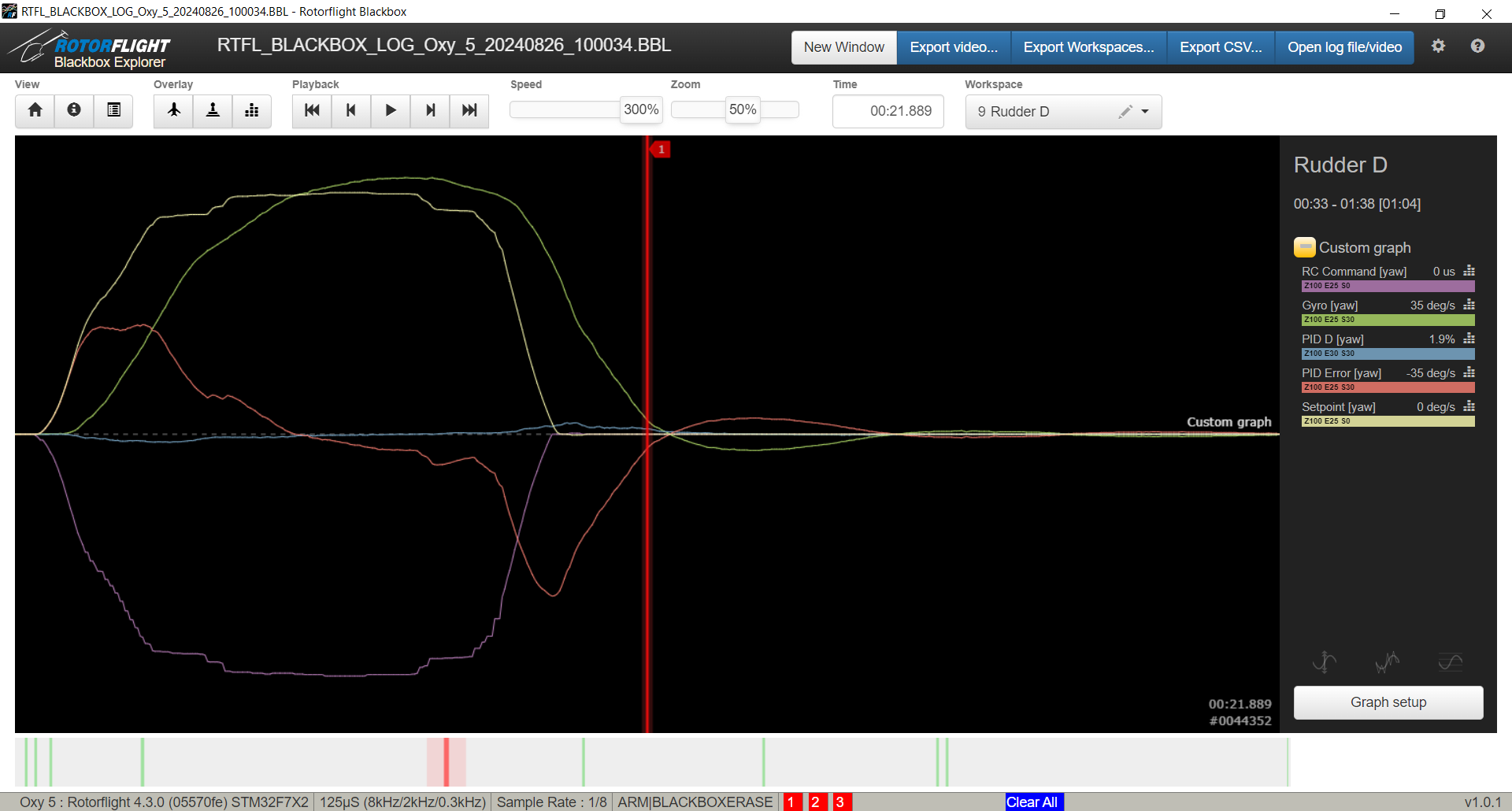
Rudder PID Settings:
- P=50 (Manuf value)
- I=50 (Manuf value)
- D=10 (Manuf value)
- F=0 (Manuf Value)
Comments:
- Felt "mushy" at 1st.
- There was a bounce back at the "stop" - just once. It was a moderately slow bounce back (not a high frequency/fast type).
- I was expecting D=40 or higher was going to have a substantially positive different feel from this tune but it did not.
- Was expecting oscillations on next value test (D=70).
|
|
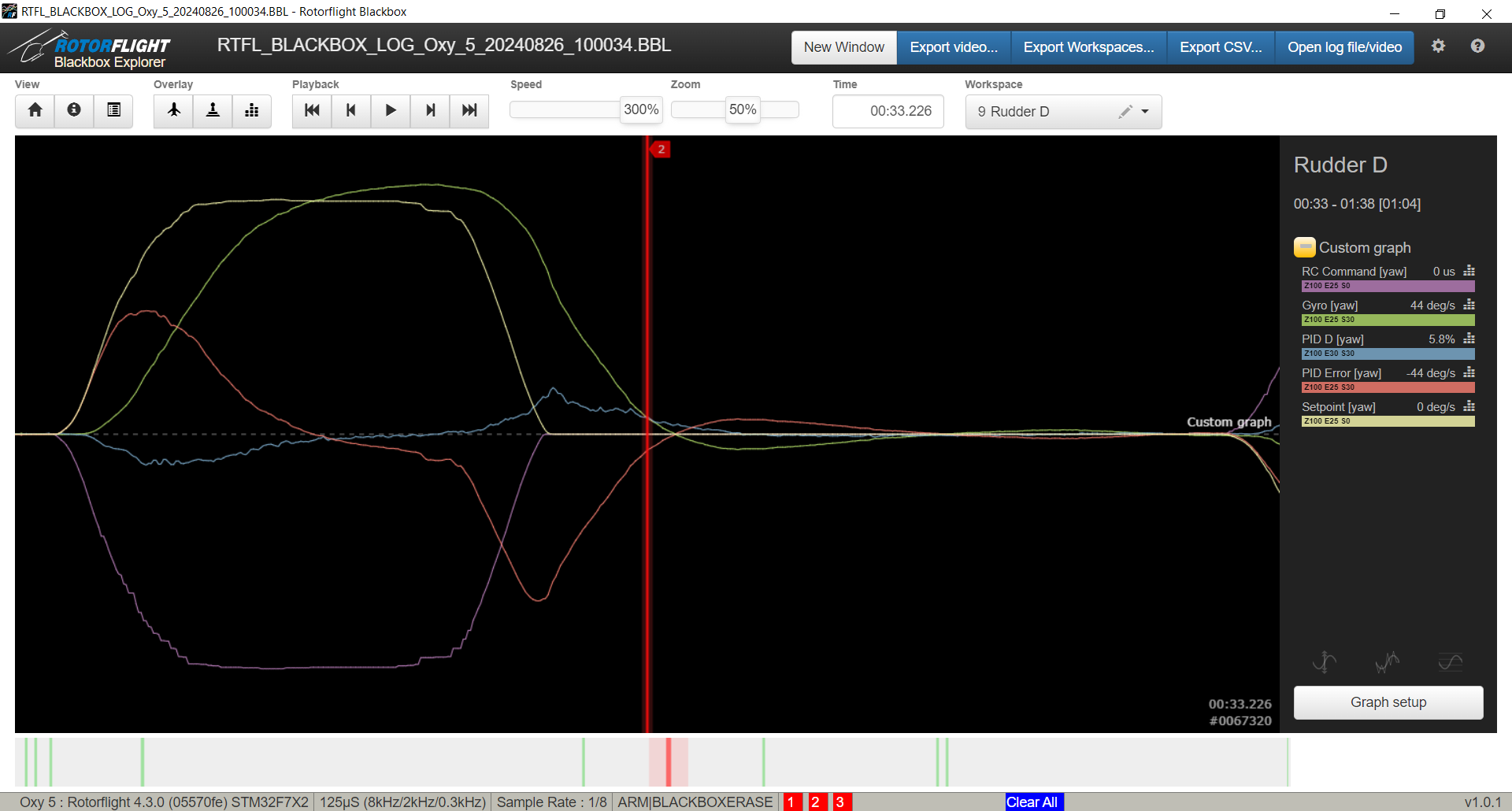
Rudder PID Settings:
- P=50 (Manuf default)
- I=50 (Manuf default)
- D=40 (Current view)
- F=0 (Manuf default)
Comments:
- Feels worst than D=10 (above). I was expecting D=80 might even start to oscillate from being too high.
- The bounce back was getting worst.
- You can see the "PID [yaw]" are starting to react.
|
|
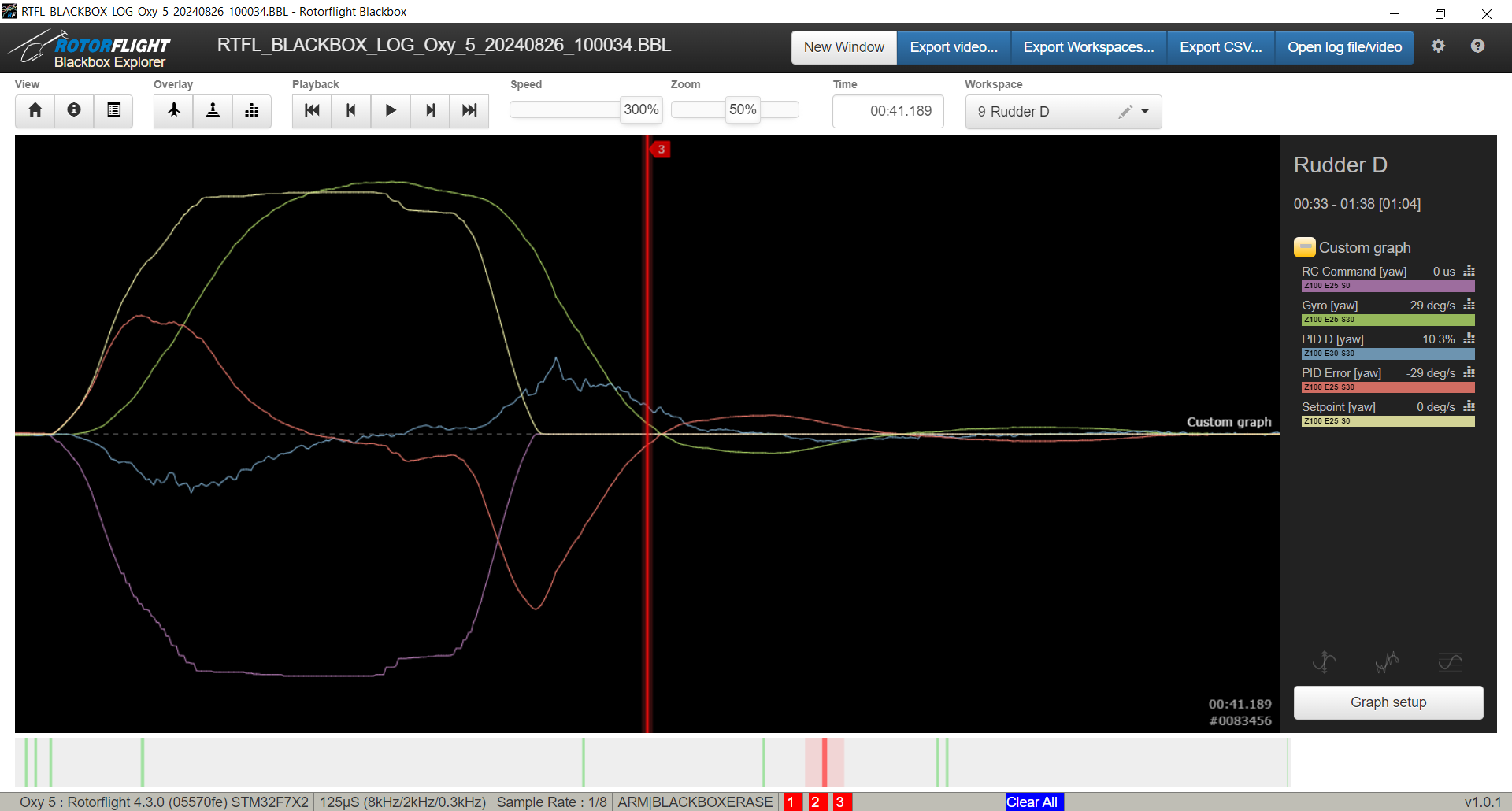
Rudder PID Settings:
- P=50 (Manuf default)
- I=50 (Manuf default)
- D=70 (Current view)
- F=0 (Manuf default)
Comments:
- After feeling this tune, I realized that the D=40 was not as bad and that the 1st one (D=10) was the best. I retested this and found it was true.
- The bounce back is extreme. Very long/elongated bounce - very lazy bounce too.
- You can see the "PID Error [yaw]" is getting more pronounced (especially when comparing to D=10).
|
|
|
Round 2 - (D Session 2)
|
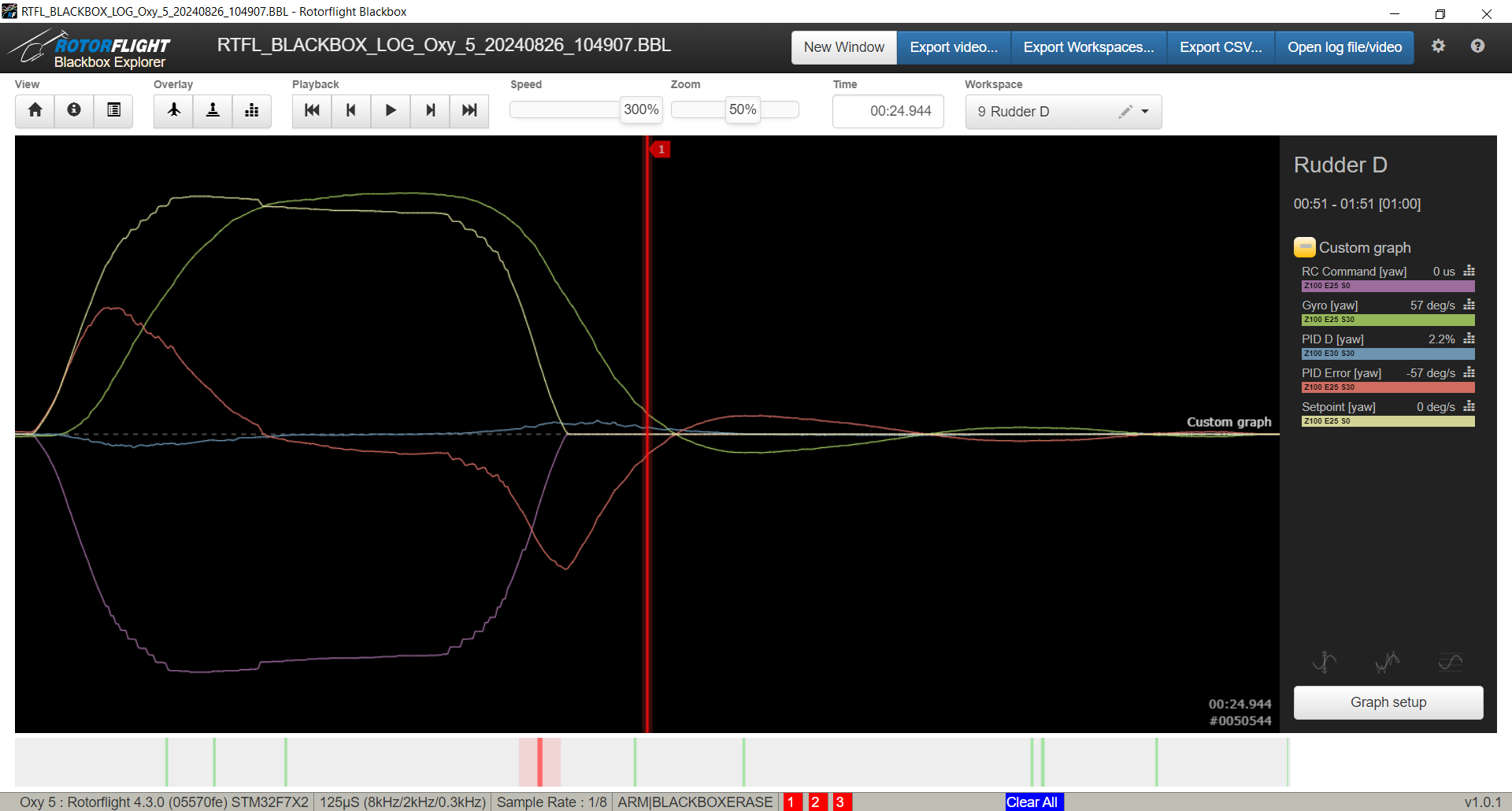
Rudder PID Settings:
- P=50 (Manuf default)
- I=50 (Manuf default)
- D=15 (Current view)
- F=0 (Manuf default)
Comments:
|
|
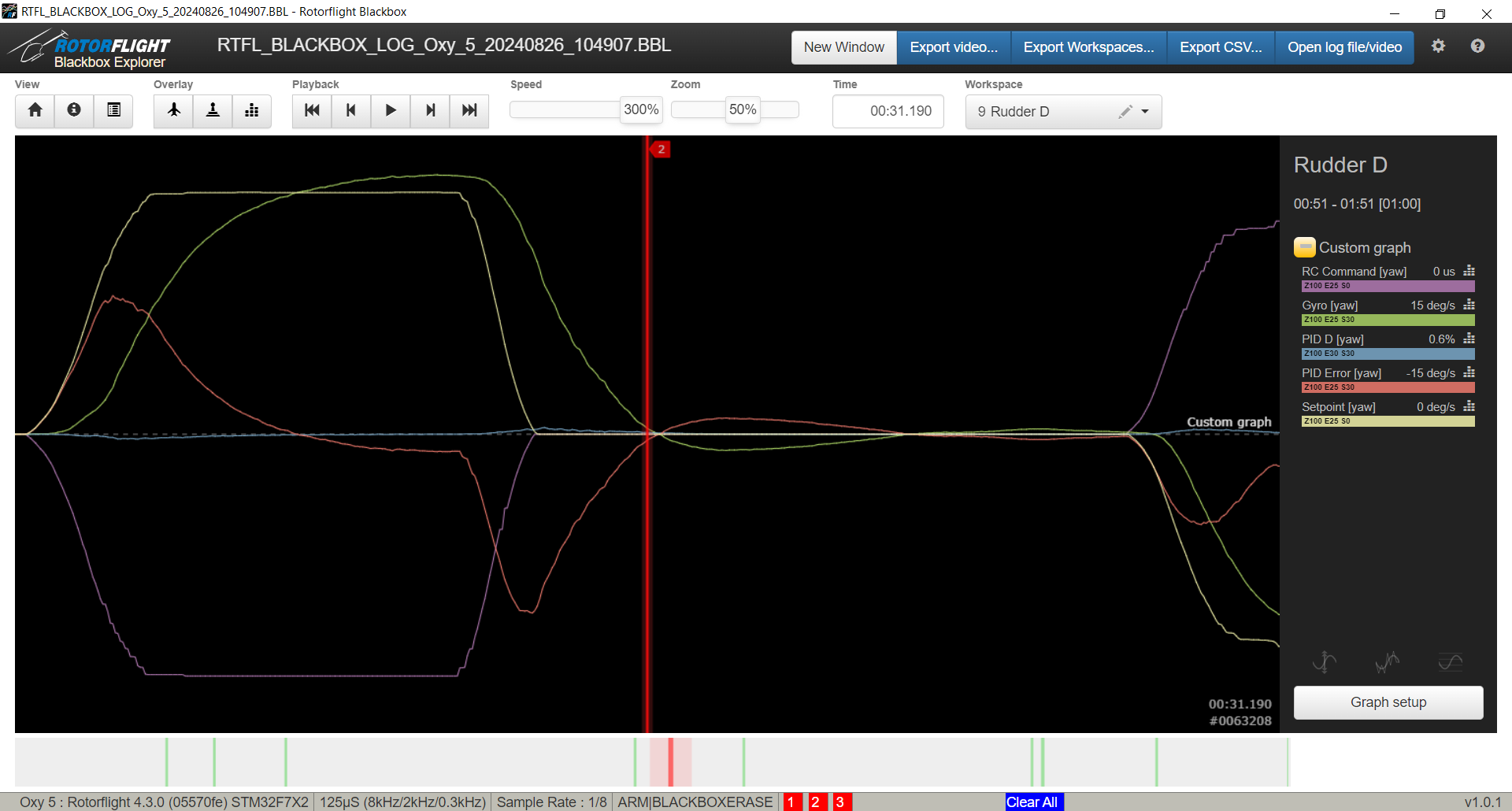
Rudder PID Settings:
- P=50 (Manuf. default)
- I=50 (Manuf. default)
- D=5 (Current view)
- F=0 (Manuf. default)
Comments:
|
|
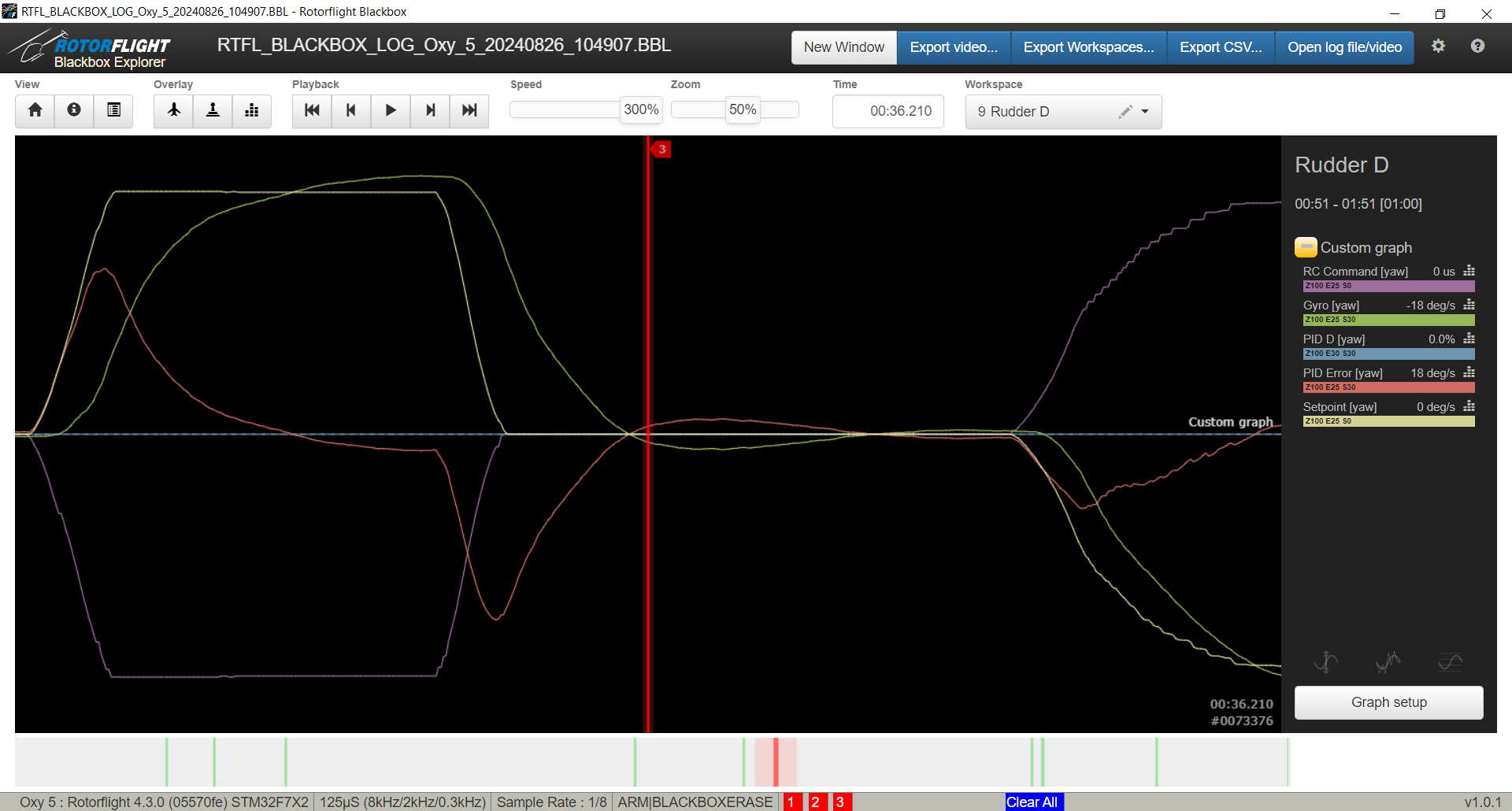
Rudder PID Settings:
- P=50 (Manuf. default)
- I=50 (Manuf. default)
- D=0 (Current view)
- F=0 (Manuf. default)
Comments:
|
|
|
Round 3 - (FF session 1)
|
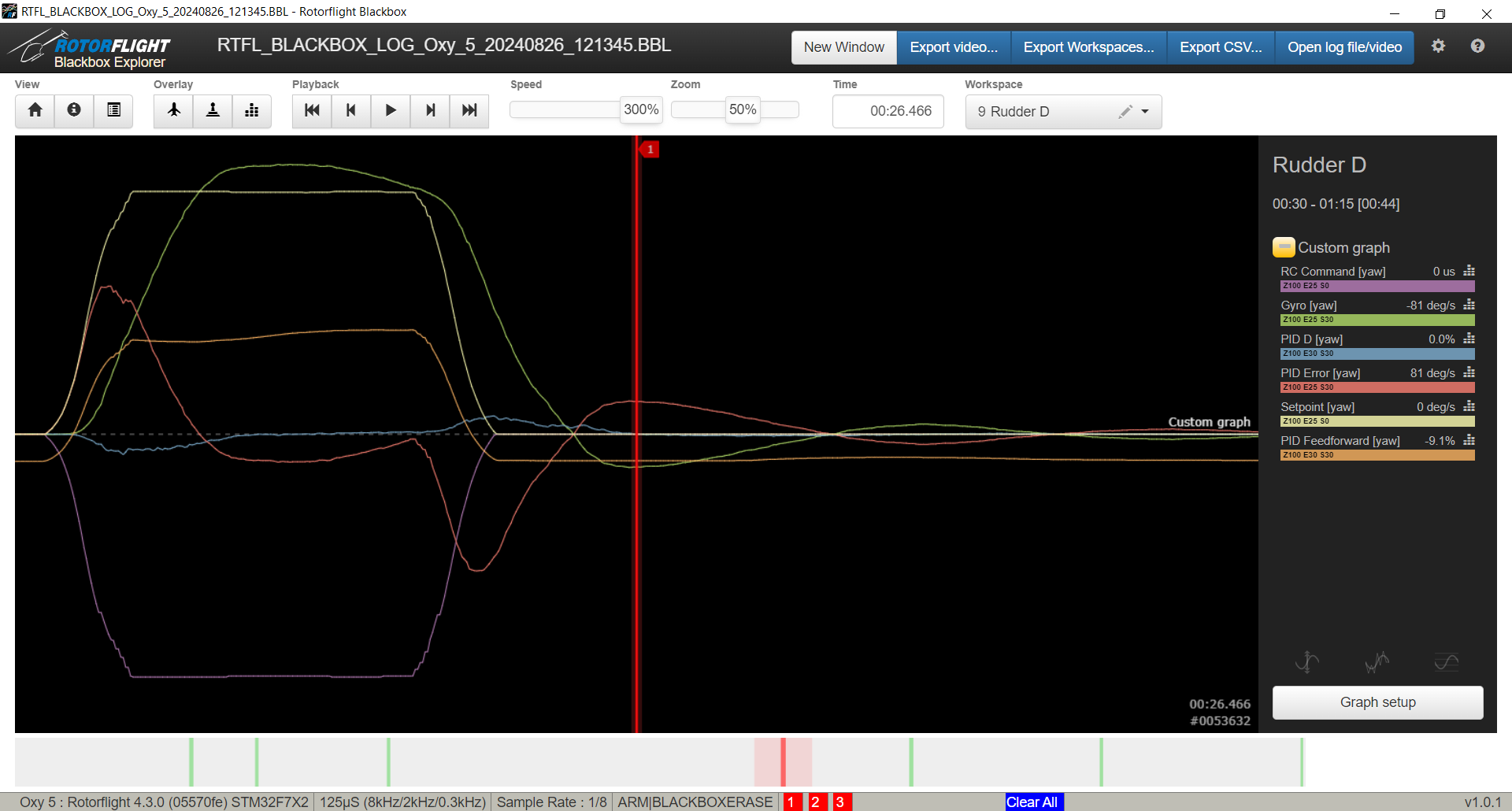
Rudder PID Settings:
- P=50 (Manuf. default)
- I=50 (Manuf. default)
- D=15 (RCFP selected)
- F=30 (Current view)
Comments:
- Felt similar but maybe a little worst. Have to check other FF values.
|
|
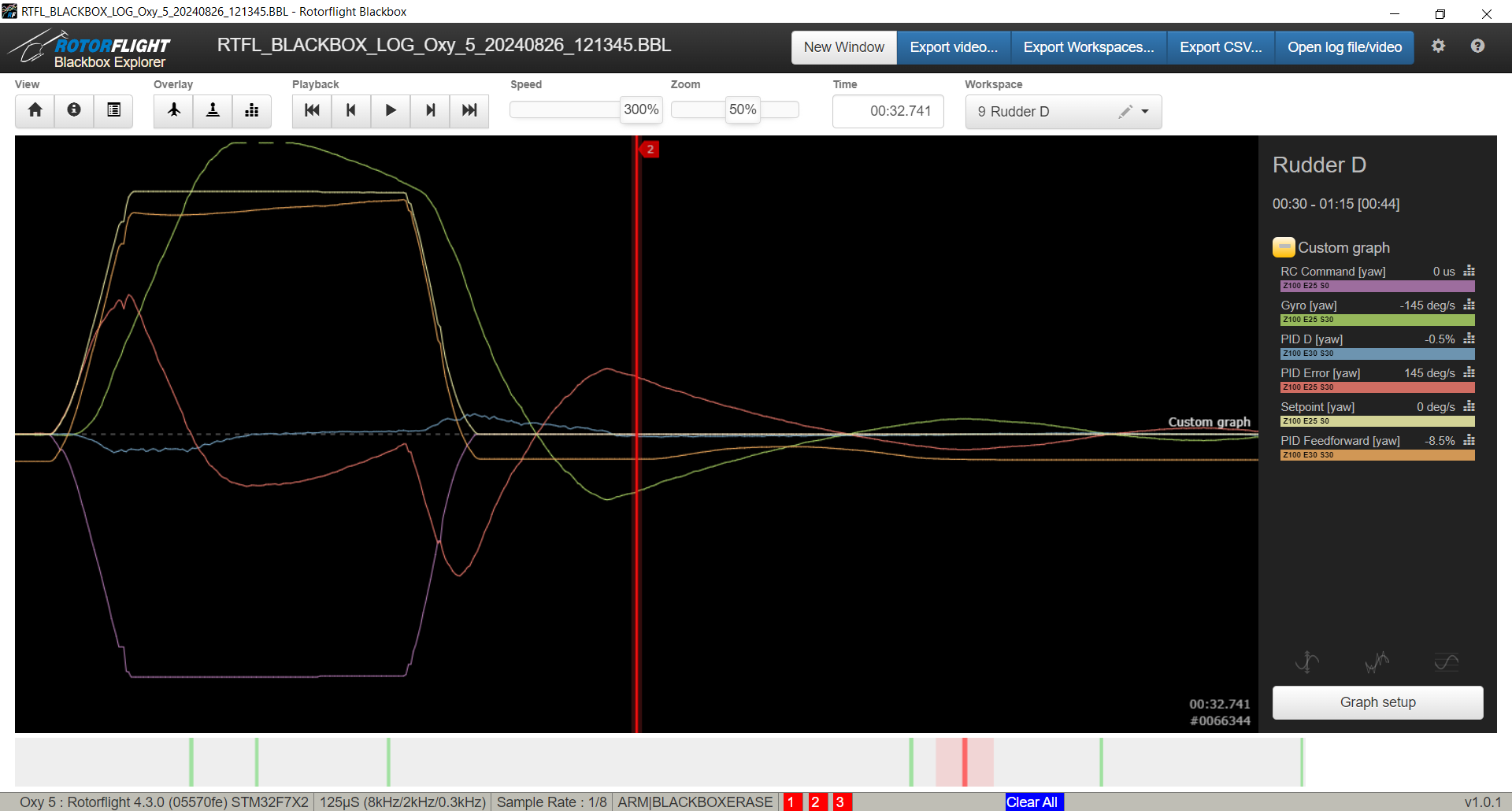
Rudder PID Settings:
- P=50 (Manuf. default)
- I=50 (Manuf. default)
- D=15 (RCFP selected)
- F=60 (Current view)
Comments:
- Flight-wise, it was loose and lazy.. worst than before. However, if we review the Blackbox logs, the Feedforward (orange) actually does follow the setpoint a lot closer than all the others.
|
|
Rudder PID Settings:
- P=50 (Manuf. default)
- I=50 (Manuf. default)
- D=15 (RCFP selected)
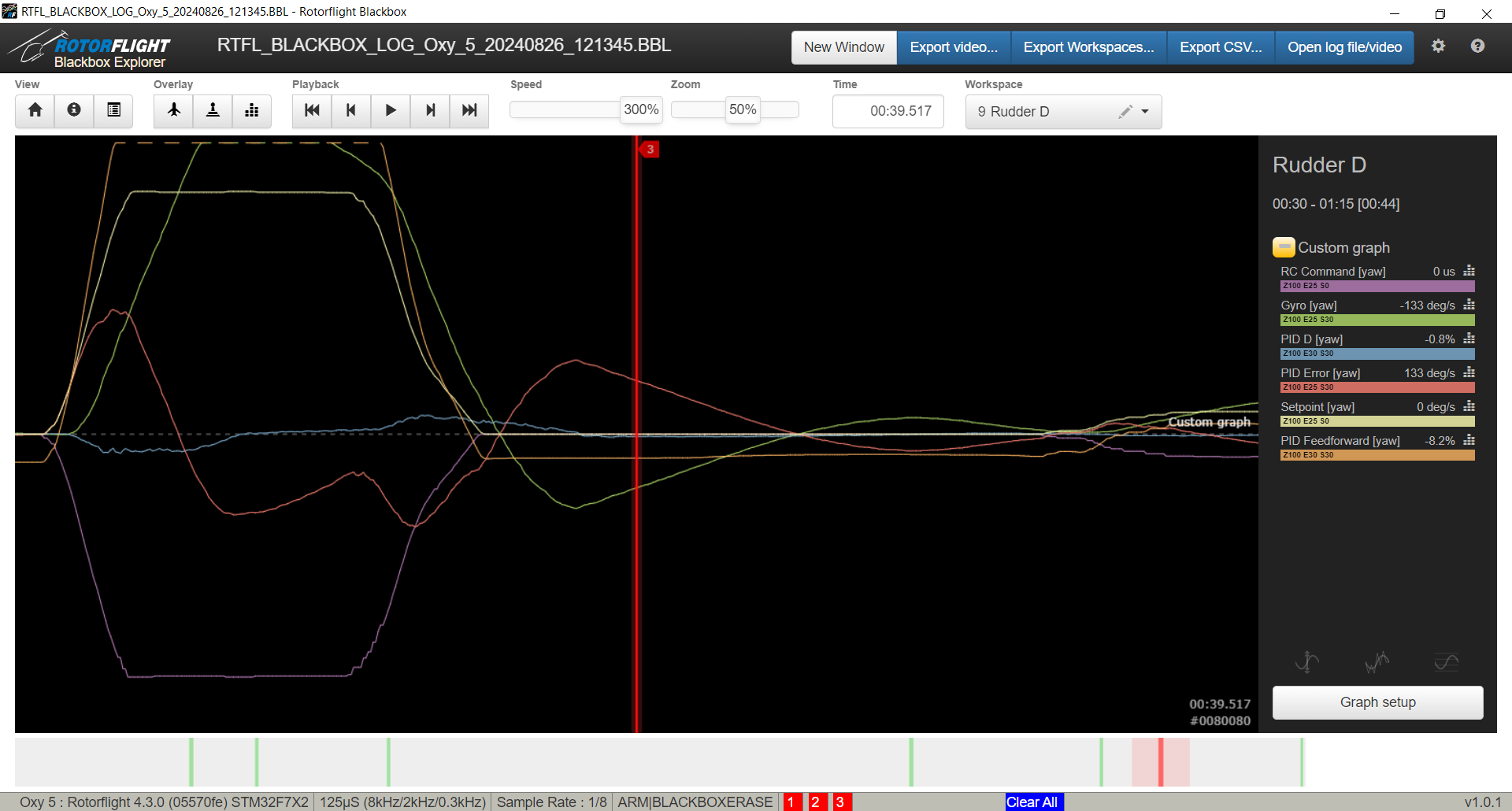
- F=90 (Current view)
Comments:
- Felt very loose and lazy of all of them. Going to go back to FF=0.
- Here we see the Feedforward go off the charts.
|
|
|
Round 4 - (P session 1)
|
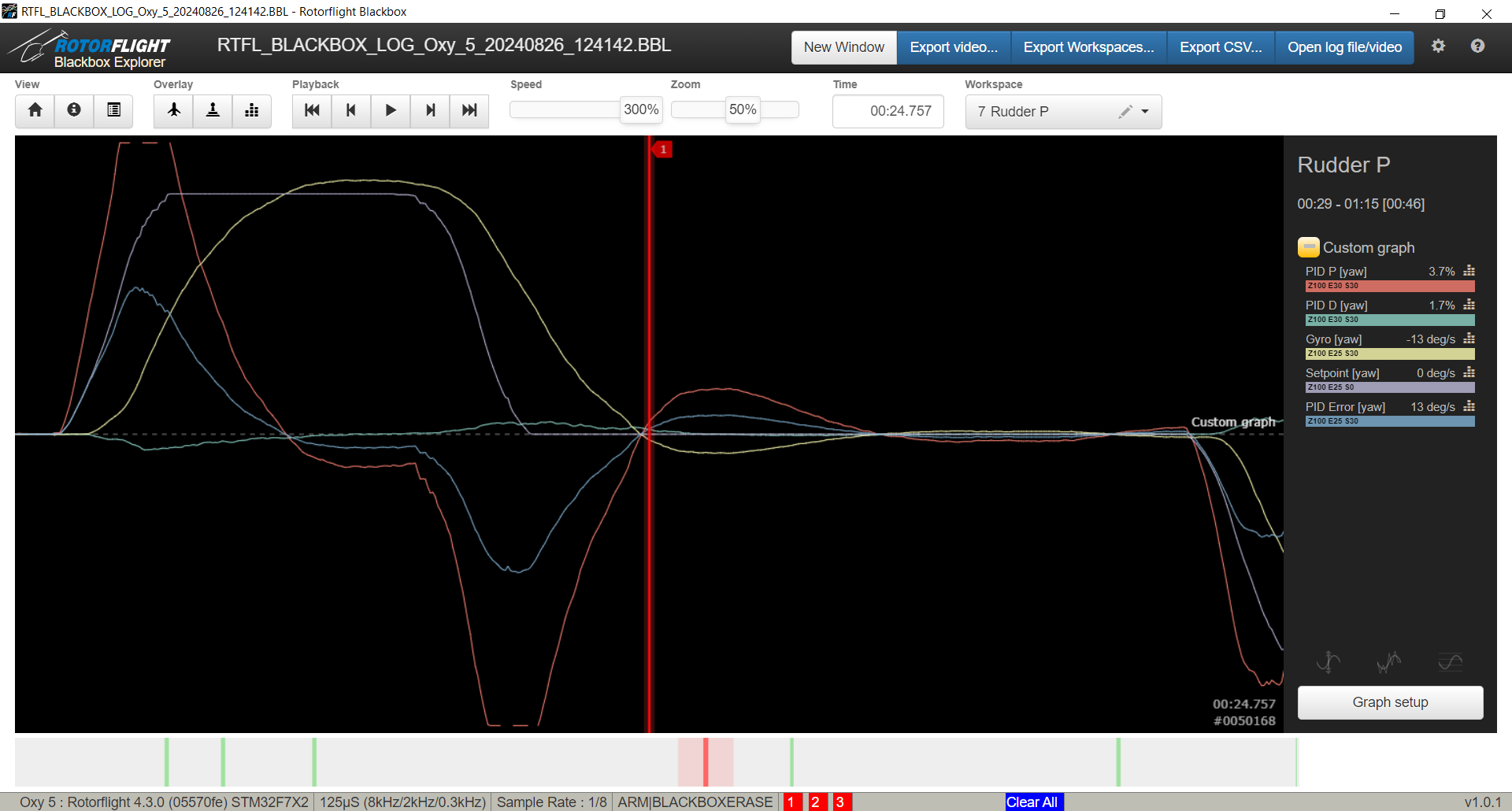
Rudder PID Settings:
- P=50 (Current view)
- I=50 (Manuf default)
- D=15 (RCFP selected)
- F=0 (Manuf default)
Comments:
|
|
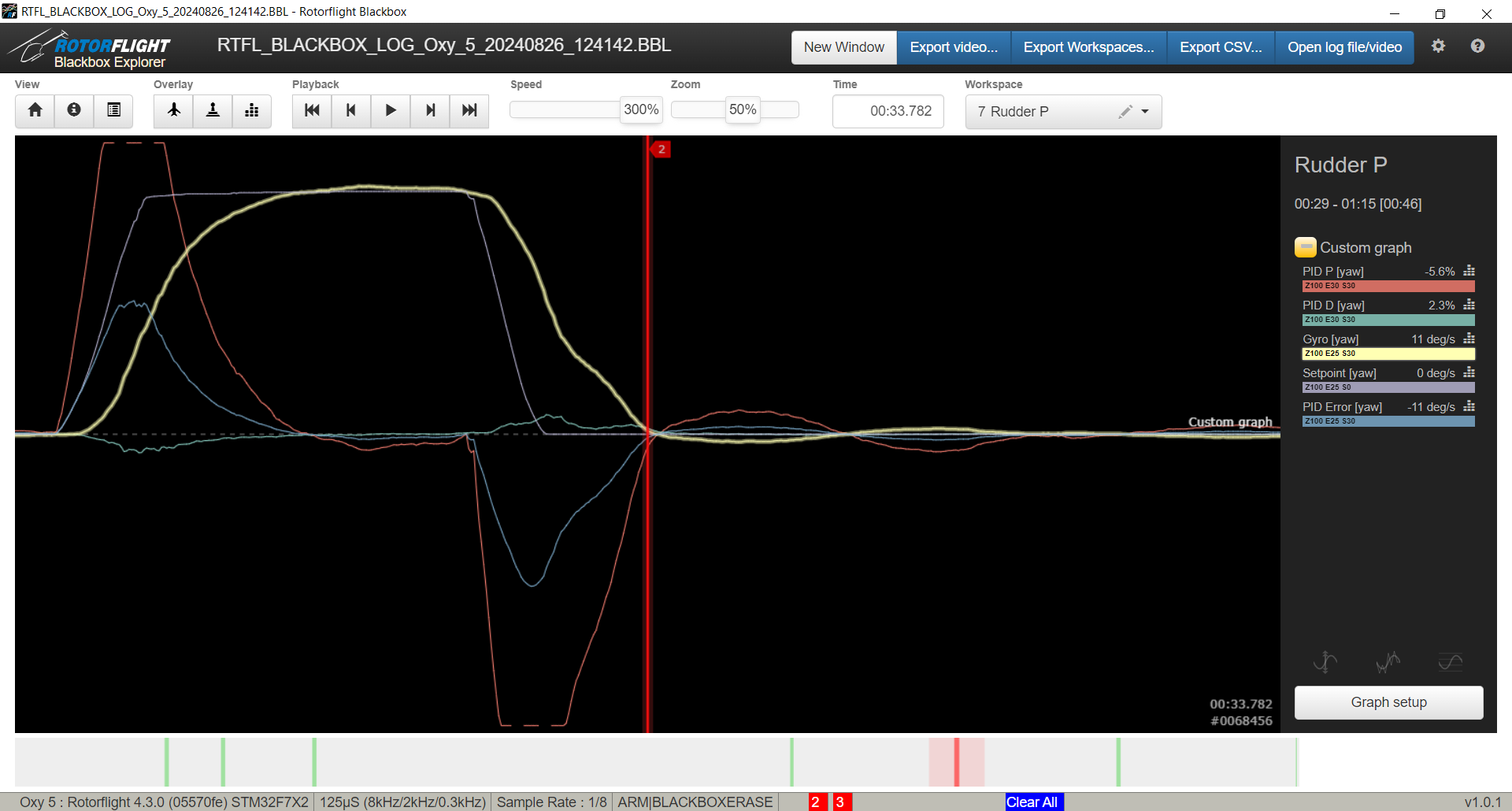
Rudder PID Settings:
- P=65 (Current view)
- I=50 (Manuf. default)
- D=15 (RCFP selected)
- F=0 (Manuf. default)
Comments:
- Felt good. Decent stopping power on rudder. Feel like it could be a bit better.
|
|
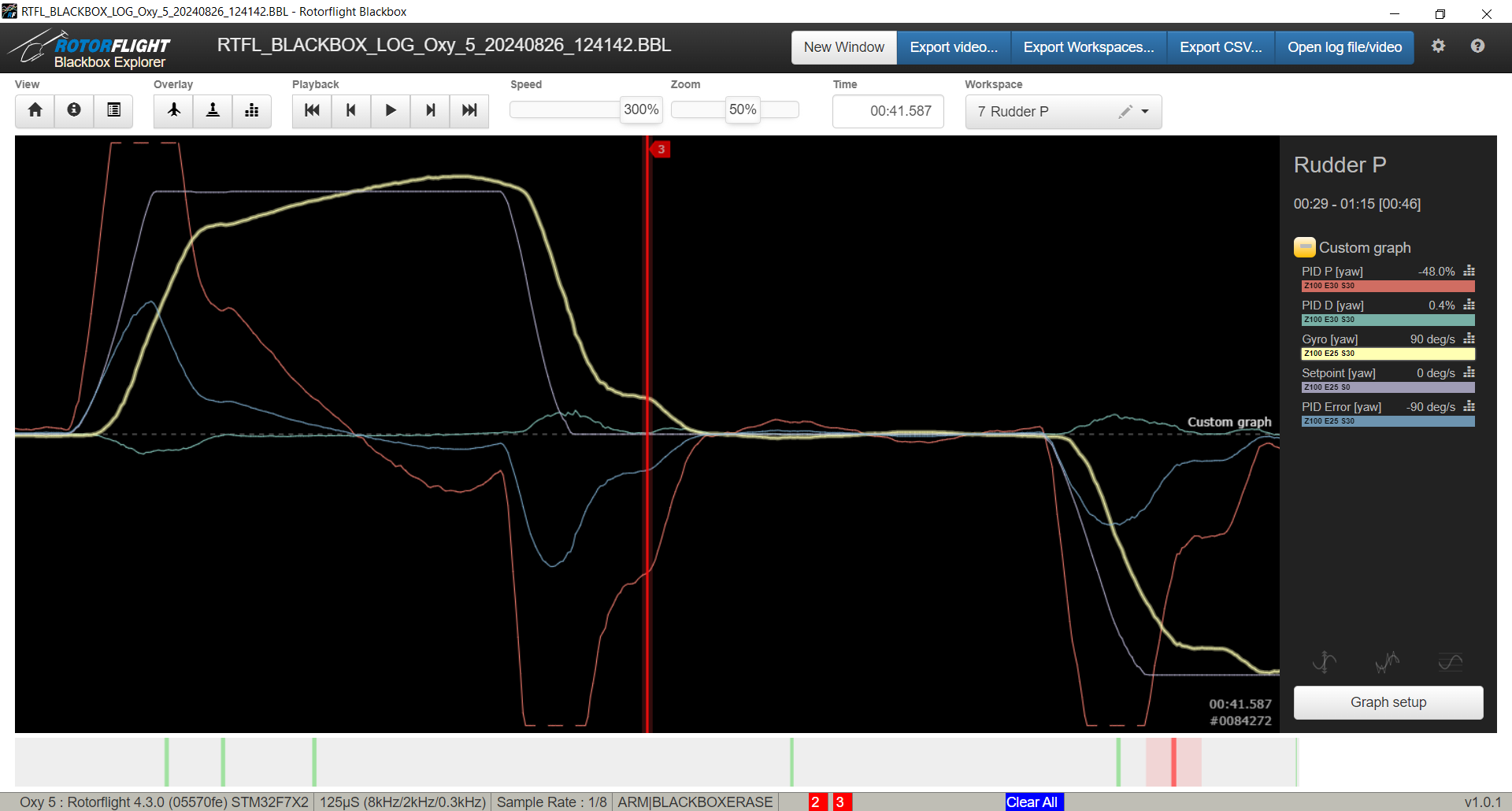
Rudder PID Settings:
- P=80 (Current view)
- I=50 (Manuf. default)
- D=15 (RCFP selected)
- F=0 (Manuf. default)
Comments:
- Felt much better. Amazed that it had the stopping power it had even without changing "CW Yaw Stop Gain" or "CCW Yaw Stop Gain".
- Noticing a little high speed oscillation @ hover/stable flight.
- Notice how the "Gyro [yaw]" values are getting closer to the "Setpoint [yaw]" values.
|
|
|
Round 5 - (P session 2)
|
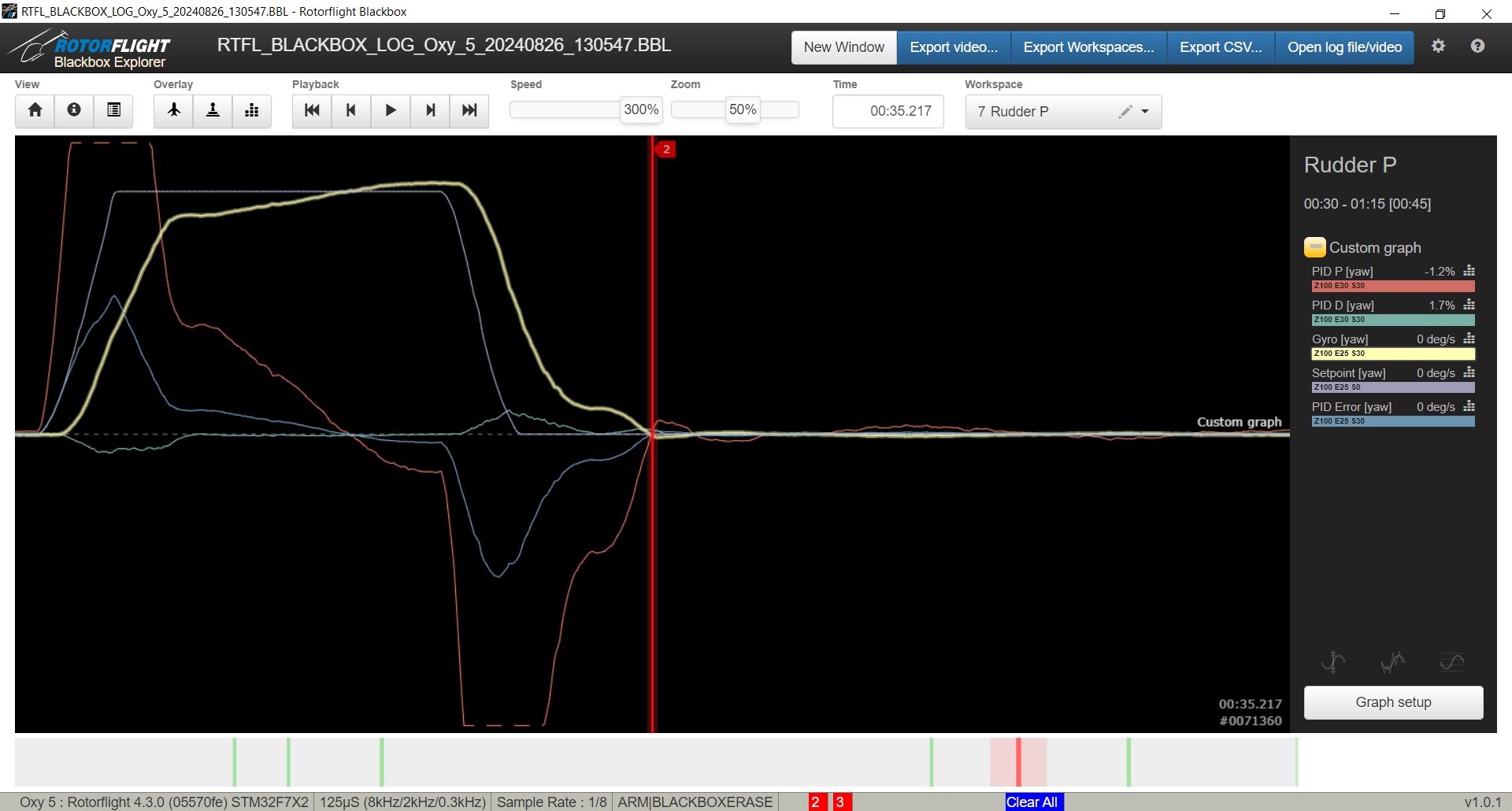
Rudder PID Settings:
- P=95 (Current view)
- I=50 (Manuf. default)
- D=15 (RCFP selected)
- F=0 (Manuf. default)
Comments:
|
|
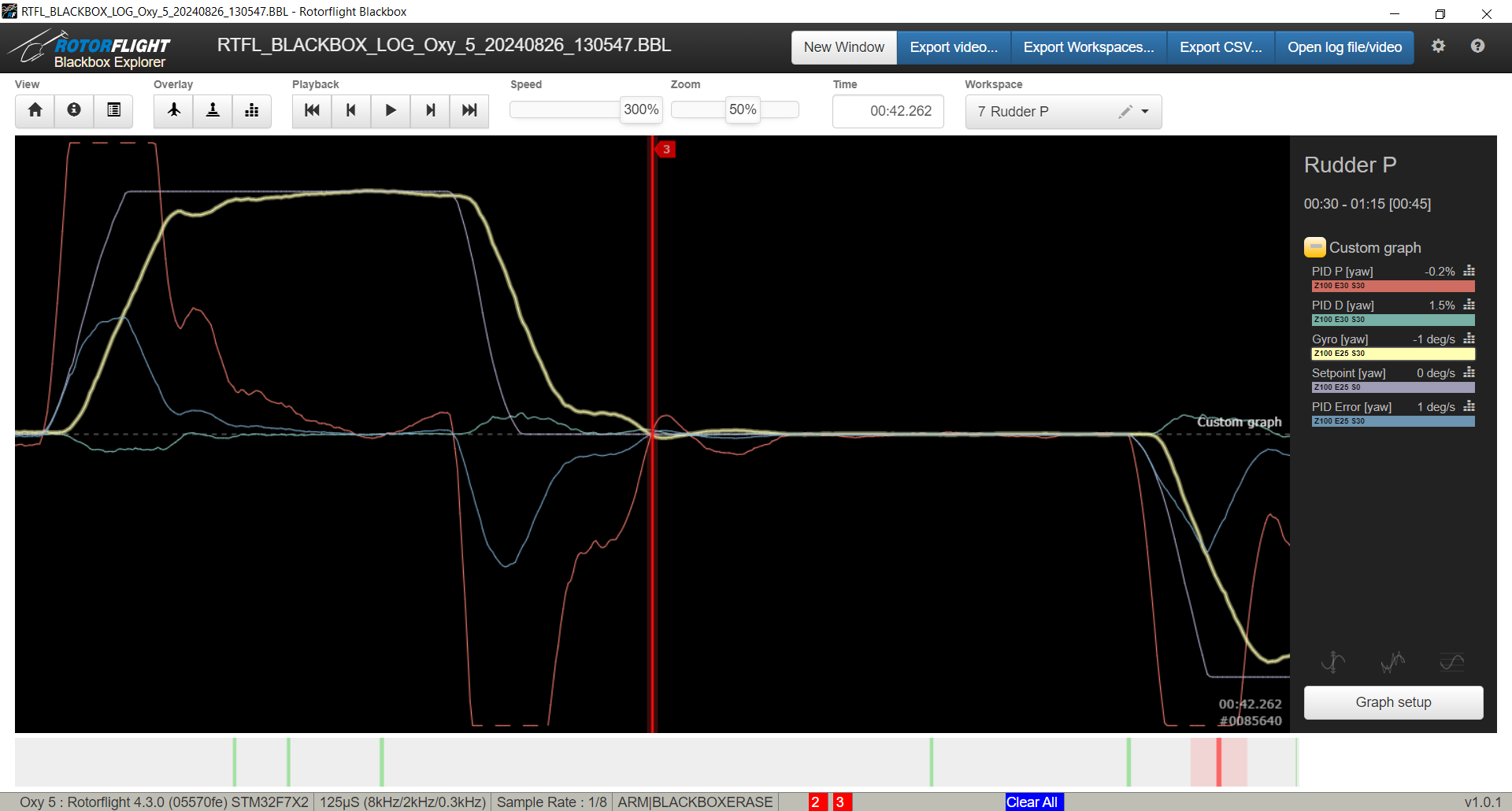
Rudder PID Settings:
- P=110 (Current view)
- I=50 (Manuf. default)
- D=15 (RCFP selected)
- F=0 (Manuf. default)
Comments:
- Feels the best out of this session. Strongest hold. Quick.. Snappy hold.
- "Gyro [yaw]" in graph slightly out-of-phase from "Setpoint [yaw]" suggests adding "Feed Forward".
|
|
|
Round 6 - (P session 3)
|
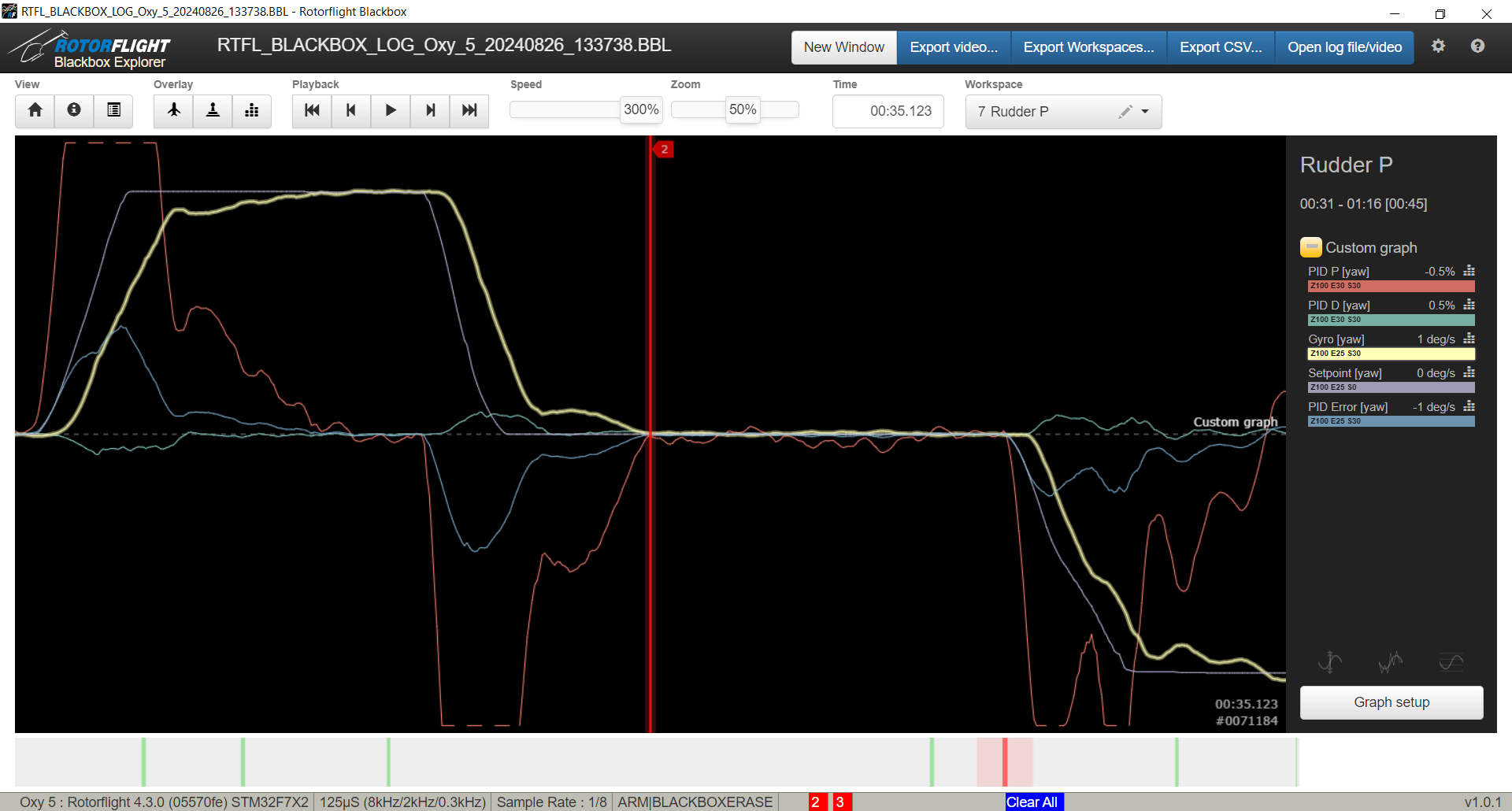
Rudder PID Settings:
- P=120 (Current view)
- I=50 (Manuf. default)
- D=15 (RCFP selected)
- F=0 (Manuf. default)
Comments:
- Feels very good, strong. Wondering if it's overdriving the servo. Next tune is even higher.
- Note the oscillaton in "PID P [yaw]" while the heli is rotating. This oscillation is causing the "Gyro [yaw]" to dip and oscillate.
|
|
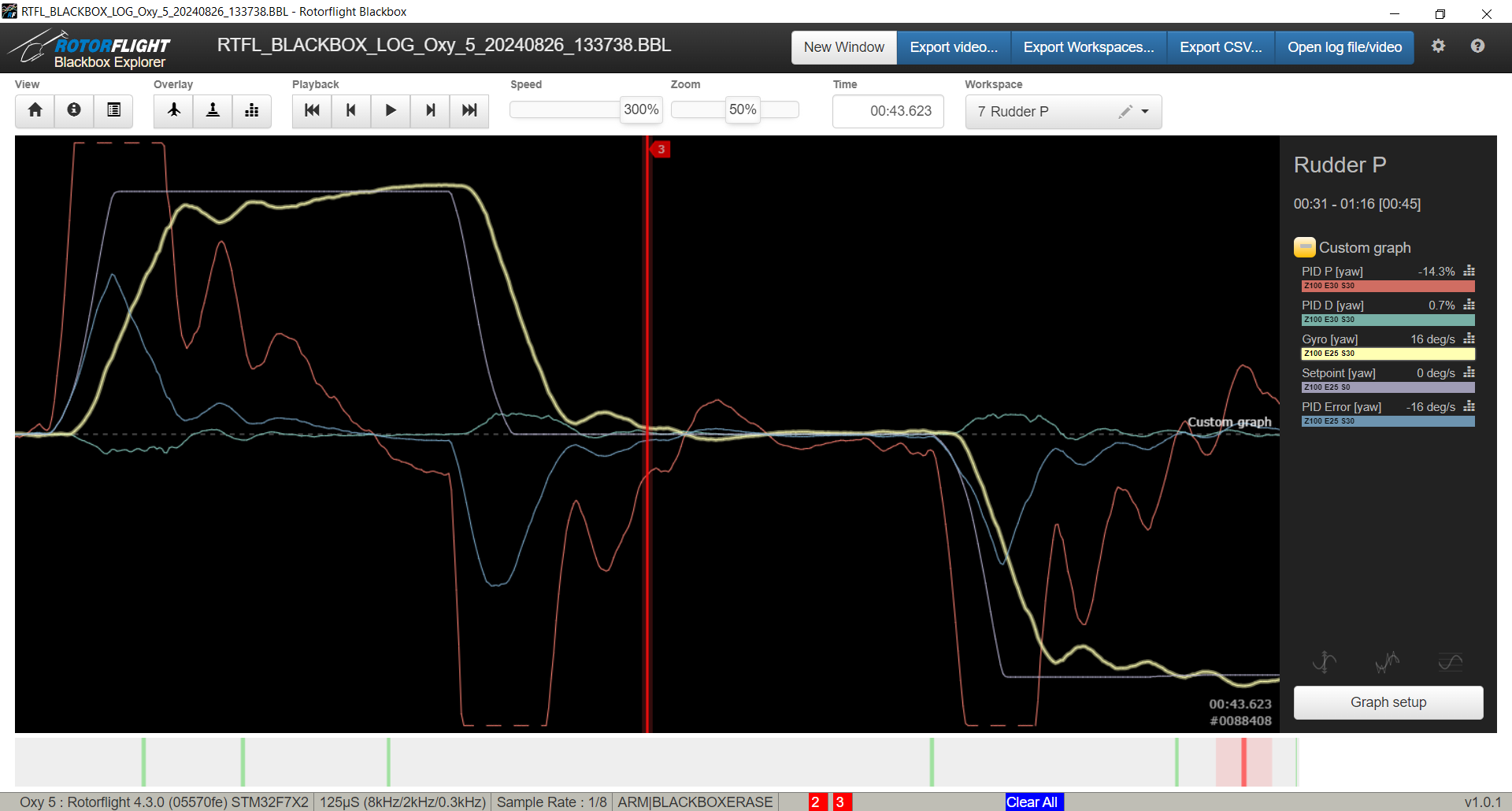
Rudder PID Settings:
- P=130 (Current view)
- I=50 (Manuf. default)
- D=15 (RCFP selected)
- F=0 (Manuf. default)
Comments:
- Also feels good. Strong. Might be overdriving tail servo. "Gyro [yaw]" shows a single "bounce back tail" (wher P=120 and P=110 does not).
|
|
Conclusions:
- The testing for Feed Forward values got me thinking that FF may have to be brought up _and_then_ tune for "D". I'll revisit this possibility later.
- P=130 felt the best in terms of overall performance. Stops like a rock! However, there is a little chatter (micro oscillations) associated with it.
- It seems once I hit P=110 (which includes P=120 and P=130) that all of them felt very very similar.
- "PID Error [yaw]" was ever so slightly less than the group of P=110, P=120 and P=130.
- It almost feels worth keeping P=130 and tuning out the "jitters" or "chatter" with D-term.
- As I write this, I have only tuned D for governor, P/D/FF for rudder and OMG the tail already locks so hard even with hard punchouts and not adjusting "I" at all!
I'm going to keep P=130 for now and later see if I can de-tune the "jitters" that I noticed. It's crazy how well it locks the tail. I even pitch-pumped it heavily and it just feels locked - more later..
|